|
|
|
 |
|
 |
MIME & Mail for IBM System i
SendMail Main utilities |
|
|
Some common use utilies are documented in this page.
These utilities are invoked through commands, which
make their use in programs very easy.
They are also rather straight forward coded, can be easily read,
and provide a simple way to understand how
mmail/sendmail service program
subprocedures can be invoked.
| You may also access some of these utilities through a menu: | addlible mmail |
| go mmail/mail |
Basic notes:
- Important note on commands
In order to be properly executed, all the following commands need
the MMAIL library (or its clone library) be in the job library list.
- Validation of e-mail addresses
As a rule all MMAIL e-mail commands perform validation of the e-mail addresses (sender and receivers) and if an error is found, the message is not sent.
In order to disable and to re-enable the e-mail addresses validation process, one should run command VLDEMLADDR.
| About IBMi E-mail APIs |
E-mail notes are rather complex objects. Basically a note is an IFS stream file in ASCII CCSID (example: 819) made of several parts:
- An envelop containing "headers" stating things like
| note timestamp | | sender name and e-mail address> |
| note subject | | recipient names, e-mail addresses and distribution type |
| note priority, importance, sensitivity |
- A message body containing the note message. The message type is defined through headers telling whether it is plain text, html (to include links and pictures), xml,
and how the text is encoded (UTF-8, Quoted-Printable, Base64).
- Optional attachments. Each attachment is an original IFS stream file, properly encoded and declared through appropriate attachment headers.
The two main jobs with e-mail notes are:
- Building the note file according to standard MIME (Multipurpose Internet Mail Extensions) standard
- Sending the note file through SMTP.
IBMi features two APIs supporting the e-mail process:
- API QtmmSendMail(Send MIME Mail).
This API was born with OS release V4R1. It just provides a way to send a MIME note with SMTP. The API itself is not difficult to be used.
The building the MIME note is left to the developer, who has maximum flexibility in implement MIME standards, but is left with a quite hard job.
- API QtmsCreateSendEmail (Create and Send MIME E-mail).
This API became available wit OS release V7R1.It cares for both creating the MIME note and sending it through SMTP.
It provides attachment abitity, but limited only to IFS stream files.
When you need to attach a database file, a save file or a spooled file, you need to have your own tools to convert such objects to stream files.
It simplifies a lot the development job and executes at a super speed, but the API itself is rather tough to be called.
Because of this, IBMi had to make available command
- SNDSMTPEMM (Send SMTP E-mail Message) -
as a quick way to create & send an E-Mail note. This command has some limits, but could be enough for occasional users and simple applications.
This MIME & Mail tool was designed and implemented in years when just API QtmmSendMail was available. It therefore includes a lot of tools to create a MIME file and properly encode its parts.
One major result out of this work, is that MIME file building and sending are different processes under developer's control. This allows MIME & Mail to provide features
like archiving, logging and resending outgoing mail.
Features like these are impossible with API QtmsCreateSendEmail, as it does not provide any way to pick up a generated MIME file.
Almost all the MMAIL EML... mail sending commands are based on QtmmSendMail.
However two EML... commands do use QtmsCreateSendEmail:
- command EMLSMTPEMM provides a simplified interface to system command SNDSMTPEMM
- command EMLNOTE provides more flexibility than commands SNDSMTPEMM and EMLSMTPEMM, by directly interfacing QtmsCreateSendEmail API.
|
|
Start your MMAIL experience with command MNGSPLF (Manage Spooled Files)
Command MNGSPLF lets you work with spooled file generated by a user profile (defaulted to the current user profile).
Besides providing some options as system command WRKSPLF (Change, Hold, Delete, Display, Release, Attributes), it features four more options to
- e-mail a spooled file as text
- e-mail a spooled file as PDF
- convert a spooled file to a text stream file
- convert a spooled file to a PDF
These four features take advantage of commands listed in this page.
More about MNGSPLF ...
About e-mail address validation
Most MMAIL commands for sending messages by default perform validation of sender and addressees e-mail addresses,
more about this.
About automated graphic signature
MMAIL features tools to automatically add graphic signatures to e-mail message bodies.
See page Work with e-mail signature.

|
0. Monitor MMAIL commands
There are three reasons for MMAIL code receiving an escape message:
- Some error in a MMAIL command, detected by its command validity
check program
- Some exception in the code itself, outside of its control
- MMAIL is facing a situation where it cannot do what requested.
In this case MMAIL is still in control and sends an escape
message telling what the problem is.
MMAIL does not use any Program Status SubRoutine (*PSSR).
In this way the decision on what to do in case of error is left to
the calling program or to the user.
There are two possible scenarios:
- Interactive environment. The process stops and the user receives
the escape message.
- Batch environment.
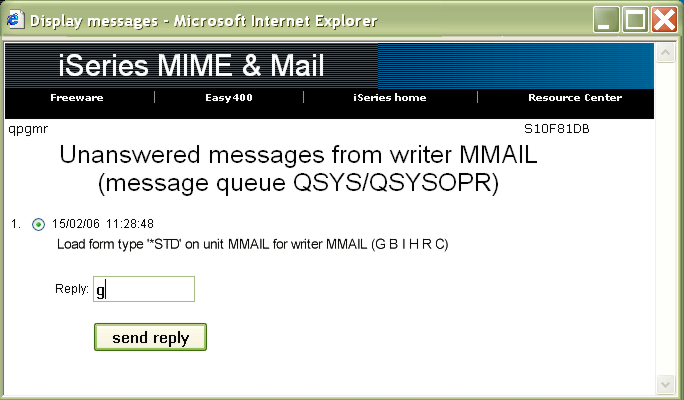
- If the submit command specified INQMSGRPY(*RQD)
then the process stops and a message is sent tomessage queue
QSYSOPR and waits for a reply.
- If the submit command specified INQMSGRPY(*DFT), the control
returns immediately to the calling program.
Then either the calling program monitors for exceptions and decides
what to do, or the calling program is halted by the escape message.
Our suggestion for batch jobs using MMAIL is that they are submitted
with INQMSGRPY(*DFT) and that the calling program monitors for
exception events.
Display a sample CL program monitoring MMAIL commands.
Display a sample RPG program monitoring MMAIL commands.
1. E-mail a simple message
Four commands are available:
- MMAIL/EMLMSG, which e-mails a message with the text from a source member or from a stream file
- MMAIL/EMLPTUMSG, which e-mails a message with an impromptu text.
The message is encoded as BASE64. The user-specified character set is used.
- MMAIL/EMLQPMSG, which e-mails a message with an impromptu text.
The message is encoded as Quoted-Printable. The character set UTF-8 is used.
|
|
Command MMAIL/EMLMSG .
This command e-mails a simple message (no embeds, no attachments) in text/plain format. The message is taken from a user-specified source member or a stream file.
The message can be distributed up to 1000 receivers. receivers may be specified individually and / or through distribution lists.
Command MMAIL/EMLMSG
                       E-mail simple message (EMLMSG)

 Type choices, press Enter.

 'Subject'  . . . . . . . . . . .   SUBJECT     ______________________________
____________________________________
 Subject icon . . . . . . . . . .   SICON       *NONE
 'Sender's name'  . . . . . . . .   FROMNAME    ______________________________
 'Sender's e-mail address'  . . .   FROMADDR    ______________________________
 Recipients . . . . . . . . . . .   TO          ____            *TO, *CC, *BC
   'name' . . . . . . . . . . . .               ____________________________
   'e-mail address' . . . . . . .               ____________________________
                + for more values               ____
 To distribution lists  . . . . .   TODSTL
   distribution type  . . . . . .               ____            *TO, *CC, *BC
   distribution list (group) name               ___________________
                + for more values               ____
 Text source file . . . . . . . .   TXTF        *DFT____    Name, *DFT
   Library  . . . . . . . . . . .                 *LIBL____ Name, *LIBL,
                                                                   *CURLIB
 Text source member . . . . . . .   TXTMBR      ________    Name
 Edit source member . . . . . . .   EDTMBR      *YES       *YES, *NO
 Text stream file . . . . . . . .   TXTSTMF     *NONE

 Edit text stream file  . . . . .   EDTTXTSTMF  *YES       *YES, *NO
 Importance . . . . . . . . . . .   IMPORTNC    *MED       *LOW, *MED, *HIG
 Priority . . . . . . . . . . . .   PRIORITY    *NRM       *NUR, *NRM, *URG
 Sensitivity  . . . . . . . . . .   SENSITIV    *NRM       *NRM, *PRS, *PRV, *CNF
 'Reply-to e-mail address'  . . .   REPLYTO     *FROMADDR_____________________
 Return receipt . . . . . . . . .   RECEIPT     *NO_       *NO, *YES
 Save directory . . . . . . . . .   SAVEDIR     /mmail/history________________
 Character set  . . . . . . . . .   CHARSET     *DFT________________
Preformatted message body . . . PREFORM N N, Y |
Subject: Subject of the message
Subject icon: You may optionally specify the name of an icon to be displayed in front of the message subject.
The name of the icon must be that of an icon documented in file MMAIL/SICONS.
The list of the available icon names is published on this page.
Note. If you do not explicitly specify the name of an icon in this parameter, the default subject icon
- specified by command MMAIL/DFTSICON - will be taken, if available.
Sender's name: Name of the person sending the message (see Note 3 below)
Sender's address: E-mail address of the person sending the message (see Note 3 below)
Recipients: up to 50 individual receivers can be specified; for each receiver the following
must be given:
- distribution type: *TO, *CC, or *BC
- receiver name, within quotes
- e-mail address, within quotes
To distribution lists: In addition you may specify up to 50 distribution lists.
For each distribution list you must enter:
- distribution type: *TO, *CC, or *BC
- The name (20 char max) of the distribution list.
To create or maintain distribution lists:
- Enter command MMAIL/MIMEMENU, it displays a menu
- Use option 1 (command MMAIL/WRKADDRD) to maintain entries in the MMAIL-provided address book
- Use option 2 (command MMAIL/WRKGRP) to maintain distribution lists (groups) using the entries of the MMAIL-provided address book.
(You do not to need to use the other options of MMAIL/MIMEMENU).
To create and maintain distribution lists you may also use a MMAIL-provided WEB utility, Work with distribution lists (WRKDSTL).
Text source file: (instead of specifying a text source file, you may specify a text stream file, see parameter "Text stream file")
Qualified name of the source file (RCDLEN must be 240!) with
the member containing the text to be e-mailed. If '*DFT' specified, library name and
text source member name need not be specified: a QTEMP source file
is generated and a default member name is assigned.
*DFT is not supported in batch execution.
Text source member: name of the source member containing
the text to be sent with the message.
Open a remark about writing the message text.
Edit source member:
if EDTSRCM(*YES) and an interactive job, command STRSEU (Start Source Entry Utility) is used to edit the source member.
If however command STRSEU is not available, the user is sent a display file screen that allows to edit the source member.
If the user presses F3 from this screen, then command EDTF (Edit File) is used to edit the source member.
Text stream file: (instead of specifying a text stream file, you may specify a text source file, see parameter "Text source file")
Stream file containing the text making up the body of the message.
Edit text stream file:
Type *YES to edit or simply check the text of the stream file.
Importance:
*LOW=low, *MED=medium, *HIG=high
Priority:
*NUR=non-urgent, *NRM=normal, *URG=urgent
Sensitivity:
*NRM=normal, *PRS=personal, *PRV=private, *CNF=confidential
(use command mmail/setconfid
to set the confidentiality statement).
Reply-to e-mail address: E-mail address of the person to receive reply messages, if different from the sender
Return receipt: whether a receipt should be returned to the
sender when the receiver opens the message.
Save directory: IFS directory to contain a copy of the
e-mailed MIME file, or *NONE .
Character set: A character set supporting your national language.
- If you specify *DFT, the default character set (specified by command MMAIL/CHARSET) will be used.
- You may specify a different character set, if you wish. For a list of supported character sets see
this page.
Preformatted message body: Whether the message body should be presented as preformatted text.
A preformatted text is a text where all characters (including spaces) have the same width.
Examples are texts including text tables (not html tables, of course).
Example:
MMAIL/EMLMSG SUBJECT('Announcement of a new software') FROMNAME('John Evans')
FROMADDR('jevans@mail.com') TO('dooley@superstar.com'/'Tom Dooley'/*TO)
TXTF(QGPL/MESSAGES) TXTMBR(MSG705) RECEIPT(*YES)
Note 1. This command can run both in the interactive and in the
batch environment.
Note 2. When running interactive, the source member is edited
prior to sending the message.
Note 3- Fetching sender's name and e-mail from the system
distribution directory
If the current user profile is enrolled in the system
distribution directory (you may use command WRKDIRE to check it out)
and
its directory entry specifies a full name and an e-mail address
(use F19 and check fields titled "SMTP user ID" and "SMTP domain"),
then the sender's name and e-mail address are automatically fetched
into command parameters FROMNAME and FROMADDR when the command
is prompted.
(Command WRKNAMSTP, alias table type = system, provides
another way to display / maintain e-mail addresses)
If the command is executed without prompting, to obtain the same
you must specify FROMNAME(*DIRENT) FROMADDR(*DIRENT).
In this case, if the required information cannot be retrieved
from the system distribution directory entry for the current
user profile, an escape message is issued.
Example:
MMAIL/EMLMSG SUBJECT('Announcement of a new software') FROMNAME(*DIRENT)
FROMADDR(*DIRENT) TO('dooley@superstar.com'/'Tom Dooley'/*TO)
TXTF(QGPL/MESSAGES) TXTMBR(MSG705) RECEIPT(*YES)
Note 4. Some programmers have problems when trying to dynamically build command MMAIL/EMLMSG in a program.
This is mainly due to the fact that they would use CL language to obtain the result.
ILE-RPG is a much better language for that. As an example, see source member
EMLMSG123 in MMAIL/SAMPLERPG.
|
|
Command MMAIL/EMLPTUMSG
allows to e-mail an impromptu text.
The message is encoded as BASE64. The user-specified character set is used.
The message can be distributed up to 1000 receivers. receivers may be specified individually and / or through distribution lists.
Command MMAIL/EMLPTUMSG
                     E-mail impromptu message (EMLPTUMSG)

 Type choices, press Enter.

 'Subject'  . . . . . . . . . . . SUBJECT     ______________________________
____________________________________
 Subject icon . . . . . . . . . . SICON       *NONE
 Sender's e-mail address  . . . . FROMADDR    ______________________________
 Recipient e-mail addresses . . . TOADDR      ______________________________
____________________________________________________________________________
                           + for more values  ____
 To distribution lists  . . . . . TODSTL
   distribution type  . . . . . .             ____       *TO, *CC, *BC
   distribution list (group) name             ___________________
                + for more values             ____
 'Message text' . . . . . . . . . MSGTXT      ______________________________
____________________________________________________________________________
____________________________________________________________________________
____________________________________________________________________________
____________________________________________________________________________
________________________________________________________  ...
 Reply-to e-mail address  . . . . REPLYTO     *FROMADDR_____________________
____________________________________________________________________________
 Return-path  . . . . . . . . . . RTNPTH      *FROMADDR_____________________
____________________________________________________________________________
 Return receipt . . . . . . . . . RECEIPT     *NO_       *NO, *YES
 Save directory . . . . . . . . . SAVEDIR     /mmail/history________________
_____________
 Character set  . . . . . . . . . CHARSET     *DFT________________
Preformatted message body . . . PREFORM N N, Y |
Subject: Subject of the message
Subject icon: You may optionally specify the name of an icon to be displayed in front of the message subject.
The name of the icon must be that of an icon documented in file MMAIL/SICONS.
The list of the available icon names is published on this page.
Note. If you do not explicitly specify the name of an icon in this parameter, the default subject icon
- specified by command MMAIL/DFTSICON - will be taken, if available.
Sender's name: Name of the person sending the message (see Note 3 below)
Sender's address: E-mail address of the person sending the message (see Note 3 below)
Recipient e-mail addresses: up to 50 receiver e-mail addresses can be specified.
To distribution lists: In addition you may specify up to 50 distribution lists.
For each distribution list you must enter:
- distribution type: *TO, *CC, or *BC
- The name (20 char max) of the distribution list.
To create or maintain distribution lists:
- Enter command MMAIL/MIMEMENU, it displays a menu
- Use option 1 (command MMAIL/WRKADDRD) to maintain entries in the MMAIL-provided address book
- Use option 2 (command MMAIL/WRKGRP) to maintain distribution lists (groups) using the entries of the MMAIL-provided address book.
(You do not to need to use the other options of MMAIL/MIMEMENU).
To create and maintain distribution lists you may also use a MMAIL-provided WEB utility, Work with distribution lists (WRKDSTL).
Message text - Specify the text (5000 characters maximum, within quotes) to send to the receivers.
The text must be formatted by using the following controls within the text:
- :/N - Will cause a new line (Carrier return)
- :/P - Will cause a new paragraph. New line plus a blank line.
Reply-to e-mail address:
- E-Mail address of the person - other than the sender - who should receive a reply message. It should be within quotes.
- Enter *FROMADDR to specify the sender's e-mail address.
Return path: In case of a message delivery error (for instance, the receiver's address was not found), a so called "bounce"
message is returned to the originator (the sender's address or the Reply-to address).
In some cases it may be useful to have such error messages returned to a different address, specified in the "Return-path" header.
In this way, the error message could, for instance, be processed by some program rather than by some human being.
- E-Mail address of the person - other than the sender - who should receive a return-path message. It should be within quotes.
- Enter *FROMADDR to specify the sender's e-mail address.
Return receipt: whether a receipt should be returned to the
sender when the receiver opens the message.
Save directory: IFS directory to contain a copy of the
e-mailed MIME file, or *NONE .
Character set: A character set supporting your national language.
- If you specify *DFT, the default character set (specified by command MMAIL/CHARSET) will be used.
- You may specify a different character set, if you wish. For a list of supported character sets see
this page.
Preformatted message body: Whether the message body should be presented as preformatted text.
A preformatted text is a text where all characters (including spaces) have the same width.
Examples are texts including text tables (not html tables, of course).
Note 1. This command can run both in the interactive and in the
batch environment.
Note 2- Fetching e-mail address from the system
distribution directory
If the current user profile is enrolled in the system
distribution directory (you may use command WRKDIRE to check it out)
and
its directory entry specifies a full name and an e-mail address
(use F19 and check fields titled "SMTP user ID" and "SMTP domain"),
then the sender's e-mail address is automatically fetched
into command parameter FROMADDR when the command is prompted.
(Command WRKNAMSTP, alias table type = system, provides
another way to display / maintain e-mail addresses)
If the command is executed without prompting, to obtain the same
you must specify FROMADDR(*DIRENT).
|
|
Command MMAIL/EMLQPMSG
allows to e-mail an impromptu text.
The message is encoded as Quoted-Printable. Character set UTF-8 is used.
The message can be distributed up to 1000 receivers. receivers may be specified individually and / or through distribution lists.
Command MMAIL/EMLQPMSG
                     E-mail Quoted-Printable message (EMLQPMSG)

 Type choices, press Enter.

 'Subject'  . . . . . . . . . . . SUBJECT     ______________________________
____________________________________
 Sender's e-mail address  . . . . FROMADDR    ______________________________
 Recipient e-mail addresses . . . TOADDR      ______________________________
____________________________________________________________________________
                           + for more values  ____
 To distribution lists  . . . . . TODSTL
   distribution type  . . . . . .             ____       *TO, *CC, *BC
   distribution list (group) name             ___________________
                + for more values             ____
 'Message text' . . . . . . . . . MSGTXT      ______________________________
____________________________________________________________________________
____________________________________________________________________________
____________________________________________________________________________
____________________________________________________________________________
________________________________________________________  ...
|
Subject: Subject of the message
Sender's name: Name of the person sending the message (see Note 3 below)
Sender's address: E-mail address of the person sending the message (see Note 3 below)
Recipient e-mail addresses: up to 50 receiver e-mail addresses can be specified.
To distribution lists: In addition you may specify up to 50 distribution lists.
For each distribution list you must enter:
- distribution type: *TO, *CC, or *BC
- The name (20 char max) of the distribution list.
To create or maintain distribution lists:
- Enter command MMAIL/MIMEMENU, it displays a menu
- Use option 1 (command MMAIL/WRKADDRD) to maintain entries in the MMAIL-provided address book
- Use option 2 (command MMAIL/WRKGRP) to maintain distribution lists (groups) using the entries of the MMAIL-provided address book.
(You do not to need to use the other options of MMAIL/MIMEMENU).
To create and maintain distribution lists you may also use a MMAIL-provided WEB utility, Work with distribution lists (WRKDSTL).
Message text - Specify the text (5000 characters maximum, within quotes) to send to the receivers.
The text may be formatted by using the following control within the text:
- %LF% - Will cause a new line (Carrier-Return-Line-Feed).
Note 1. This command can run both in the interactive and in the
batch environment.
Note 2- Fetching e-mail address from the system
distribution directory
If the current user profile is enrolled in the system
distribution directory (you may use command WRKDIRE to check it out)
and its directory entry specifies a full name and an e-mail address
(use F19 and check fields titled "SMTP user ID" and "SMTP domain"),
then the sender's e-mail address is automatically fetched
into command parameter FROMADDR when the command is prompted.
(Command WRKNAMSTP, alias table type = system, provides
another way to display / maintain e-mail addresses)
If the command is executed without prompting, to obtain the same
you must specify FROMADDR(*DIRENT).
|
|
2. E-mail source members
Command MMAIL/EMLSRCM
allows to e-mail a message attaching up to 30 source members.
Optionally, a message body may be built from another text source
member.
The message can be distributed up to 1000 receivers. receivers may be specified individually and / or through distribution lists.
|
|
Command MMAIL/EMLSRCM
E-mail source members (EMLSRCM)
Type choices, press Enter.
'Subject' . . . . . . . . . . . SUBJECT ____________________________�___________
____________________________________
Subject icon . . . . . . . . . . SICON *NONE_____________
'Sender's name' . . . . . . . . FROMNAME _______________________________________
'Sender's e-mail address' . . . FROMADDR _______________________________________
Recipients . . . . . . . . . . . TO *TO_ *TO, *CC, *BC
'name' . . . . . . . . . . . . _____________________________________
____________________________________
'e-mail address' . . . . . . . _____________________________________
____________________________________
+ for more values *TO_
To distribution lists: TODSTL
Distribution type . . . . . . *TO_>
Distribution list (group) name ____________________
+ for more values *TO_ *TO, *CC, *BC
Source member to be attached . . SRCM __________ Name
source file . . . . . . . . . __________ Name
library . . . . . . . . . . . *LIBL_____ Name, *LIBL, *CURLIB
+ for more values __________
Source mbr for message body . . MSGM *NONE_____ Name, *DFT, *NONE
source file . . . . . . . . . __________ Name
library . . . . . . . . . . . *LIBL_____ Name, *LIBL, *CURLIB
Edit message body src mbr . . . EDTMSGM *NO_ *NO, *YES
Importance . . . . . . . . . . . IMPORTNC *MED *LOW, *MED, *HIG
Priority . . . . . . . . . . . . PRIORITY *NRM *NUR, *NRM, *URG
Sensitivity . . . . . . . . . . SENSITIV *NRM *NRM, *PRS, *PRV, *CNF
'Reply-to e-mail address' . . . REPLYTO *FROMADDR______________________________
____________________________________
Return receipt . . . . . . . . . RECEIPT *NO_ *NO, *YES
Save directory . . . . . . . . . SAVDIR /mmail/history_________________________
____________________________________
Preformatted message body . . . PREFORM N N, Y |
|
Subject: Subject of the message
Subject icon: You may optionally specify the name of an icon to be displayed in front of the message subject.
The name of the icon must be that of an icon documented in file MMAIL/SICONS.
The list of the available icon names is published on this page.
Note. If you do not explicitly specify the name of an icon in this parameter, the default subject icon
- specified by command MMAIL/DFTSICON - will be taken, if available.
Sender's name: Name of the person sending the message
Sender's address: E-mail address of the person sending the message
Recipients: up to 50 individual receivers can be specified; for each receiver the following
must be given:
- destination type: *TO, *CC, or *BC
- receiver name, within quotes
- e-mail address, within quotes
To distribution lists: In addition you may specify up to 50 distribution lists.
For each distribution list you must enter:
- distribution type: *TO, *CC, or *BC
- The name (20 char max) of the distribution list.
To create or maintain distribution lists:
- Enter command MMAIL/MIMEMENU, it displays a menu
- Use option 1 (command MMAIL/WRKADDRD) to maintain entries in the MMAIL-provided address book
- Use option 2 (command MMAIL/WRKGRP) to maintain distribution lists (groups) using the entries of the MMAIL-provided address book.
(You do not to need to use the other options of MMAIL/MIMEMENU).
To create and maintain distribution lists you may also use a MMAIL-provided WEB utility, Work with distribution lists (WRKDSTL).
Source member to be attached: up to 30 attachments can be specified; for each attachment the following
must be given:
- source member name
- source file name
- source library name
Source mbr for message body: member, file, and library name for
the text to become the body of the message.
If *NONE specified, the message will have no body,
just the attachment will be there.
If '*DFT' specified, library name and
text source member name need not be specified: a QTEMP source file
is generated and a default member name is assigned.
*DFT is not supported in batch execution.
Open a remark about writing the message text.
Edit message body src mbr:
if EDTSRCM(*YES) and an interactive job, command STRSEU (Start Source Entry Utility) is used to edit the source member.
If however command STRSEU is not available, the user is sent a display file screen that allows to edit the source member.
If the user presses F3 from this screen, then command EDTF (Edit File) is used to edit the source member.
Importance:
*LOW=low, *MED=medium, *HIG=high
Priority:
*NUR=non-urgent, *NRM=normal, *URG=urgent
Sensitivity:
*NRM=normal, *PRS=personal, *PRV=private, *CNF=confidential
(use command mmail/setconfid
to set the confidentiality statement).
Reply-to e-mail address: E-mail address of the person to receive reply messages, if different from the sender
Return receipt: whether a receipt should be returned to the
sender when the receiver opens the message.
Save directory: IFS directory to contain a copy of the
e-mailed MIME file, or *NONE .
Preformatted message body: Whether the message body should be presented as preformatted text.
A preformatted text is a text where all characters (including spaces) have the same width.
Examples are texts including text tables (not html tables, of course).
Note 1. This command can run both in the interactive and in the
batch environment.
Note 2- Fetching sender's name and e-mail from the system
distribution directory
See Note 3 for command EMLMSG.
Example:
MMAIL/EMLSRCM SUBJECT('Source of command MMAIL/EMLSRCM')
FROMNAME('John Evans') FROMADDR('jevans@mail.com')
TO('dooley@superstar.com'/'Tom Dooley'/*TO)
SRCM(MMAIL/QCMDSRC/EMLSRM)
|
|
3. E-mail spooled files
Three similar commands are available.
They differ in the way the PDF conversion utility is selected.
- MMAIL/EMLSPL
This command selects the PDF conversion utility defined by command MMAIL/CVTTOPDF,
and lets you define a single name for all the attached PDF's.
The message body is optional and its contents come from a source member.
- MMAIL/EMLSPL2
This command selects the PDF conversion utility defined by command MMAIL/CVTTOPDF,
and lets you define a name for each attachment.
The message body is optional and its contents come from a source member.
- MMAIL/EMLSPL3
This command selects the PDF conversion utility defined by command MMAIL/CVTTOPDF,
and lets you define a name for each attachment.
The message body is mandatory and its contents come from a text or an HTML stream file.
- MMAIL/EMLSPLX
This command, though defaulting to the PDF conversion utility selected by command MMAIL/CVTTOPDF,
leaves you the freedom to select a different conversion utility.
Besides, when the PDF conversion utility CVTSPLSTMF is selected, it provides all the needed PDF formatting parameters.
The message body is optional and its contents come from a source member.
A - Command MMAIL/EMLSPL
allows to e-mail a message attaching up to 30 spooled files.
A conversion to PDF option is available at single spooled file level.
Optionally, a message body may be built from a text source
member.
The message can be distributed up to 50 individual receivers and /or up to 50 distribution lists, provided that the total number of e-mail addresses does not exceed one thousand.
|
|
Command MMAIL/EMLSPL
E-mail spooled files (EMLSPL)
Type choices, press Enter.
'Subject' . . . . . . . . . . . SUBJECT ____________________________�___________
____________________________________
Subject icon . . . . . . . . . . SICON *NONE_____________
'Sender's name' . . . . . . . . FROMNAME _______________________________________
'Sender's e-mail address' . . . FROMADDR _______________________________________
Recipients . . . . . . . . . . . TO *TO_ *TO, *CC, *BC
'name' . . . . . . . . . . . . _____________________________________
____________________________________
'e-mail address' . . . . . . . _____________________________________
____________________________________
+ for more values *TO_
To distribution lists: TODSTL
Distribution type . . . . . . *TO_> *TO, *CC, *BC
Distribution list (group) name ____________________
+ for more values *TO_
Spooled file . . . . . . . . . . SPLF __________ Name
Job name . . . . . . . . . . . *CURRENT__ Name, *CURRENT
job user . . . . . . . . . . __________ Name
job number . . . . . . . . . ______ 000000-999999
Spooled file number . . . . . *LAST 1-9999, *ONLY,
*LAST, *PDF
Convert spool file to PDF . . *NO_ *NO, *YES
+ for more values __________
Source mbr for message body . . MSGM *NONE_____ Name, *DFT, *NONE
source file . . . . . . . . . __________ Name
library . . . . . . . . . . . *LIBL_____ Name, *LIBL, *CURLIB
Edit message body src mbr . . . EDTMSGM *NO_ *NO, *YES
Importance . . . . . . . . . . . IMPORTNC *MED *LOW, *MED, *HIG
Priority . . . . . . . . . . . . PRIORITY *NRM *NUR, *NRM, *URG
Sensitivity . . . . . . . . . . SENSITIV *NRM *NRM, *PRS, *PRV, *CNF
'Reply-to e-mail address' . . . REPLYTO *FROMADDR______________________________
____________________________________
Return receipt . . . . . . . . . RECEIPT *NO_ *NO, *YES
Save directory . . . . . . . . . SAVDIR /mmail/history_________________________
____________________________________
PDF save directory . . . . . . . PDFSAVEDIR *NONE__________________________________
____________________________________
PDF save prefix . . . . . . . . PDFSAVEPFX _______________________________________
____________________________________
PDF name . . . . . . . . . . . . PDFNAME *AUTO__________________________________
____________________________________
Preformatted message body . . . PREFORM N N, Y
Zip attachments . . . . . . . . ZIP N N, Y |
|
Subject: Subject of the message
Subject icon: You may optionally specify the name of an icon to be displayed in front of the message subject.
The name of the icon must be that of an icon documented in file MMAIL/SICONS.
The list of the available icon names is published on this page.
Note. If you do not explicitly specify the name of an icon in this parameter, the default subject icon
- specified by command MMAIL/DFTSICON - will be taken, if available.
Sender's name: Name of the person sending the message
Sender's address: E-mail address of the person sending the message
Recipients: up to 50 receivers can be specified; for each receiver the following
must be given:
- destination type: *TO, *CC, or *BC
- receiver name, within quotes
- e-mail address, within quotes
To distribution lists: In addition you may specify up to 50 distribution lists.
For each distribution list you must enter:
- distribution type: *TO, *CC, or *BC
- The name (20 char max) of the distribution list.
To create or maintain distribution lists:
- Enter command MMAIL/MIMEMENU, it displays a menu
- Use option 1 (command MMAIL/WRKADDRD) to maintain entries in the MMAIL-provided address book
- Use option 2 (command MMAIL/WRKGRP) to maintain distribution lists (groups) using the entries of the MMAIL-provided address book.
(You do not to need to use the other options of MMAIL/MIMEMENU).
To create and maintain distribution lists you may also use a MMAIL-provided WEB utility, Work with distribution lists (WRKDSTL).
Spooled file: up to 30 attachments can be specified; for each attachment the following
must be given:
- spooled file name
- qualified job name
- spooled file number (number, *ONLY or *LAST)
E-mailing a PDF - If you specify *PDF as spooled file number, the
object to be sent is interpreted to be a PDF instead of a spool
file. In such a case:
- The name of the PDF is assumed to be /mmail/pdf/xxx.pdf, where xxx is the spooled file name specified in the command.
- The parameter JOB is ignored.
- The PDF is deleted after having been sent.
- whether the spooled file should be converted to PDF before being attached to the message.
Information about conversion of spooled files to PDF's is provided later in this page.
The spool_file_to_PDF conversion program used in this process
is the utility selected through command MMAIL/CVTTOPDF.
Note 1- For additional parameters of command CVTSPLSTMF when spooled file conversion to PDF is requested,
see Note on CVTSPLSTMF spooled file conversion to PDF.
Note 2- If the conversion utility specified by command CVTTOPDF is CVTSPLSTMF (which handles only *SCS, *IPDS, *LINE, and *AFPDSLINE spooled files) and the spooled file
type is *AFPDS, then utility CVTSPLFPDF (which handles both *SCS and *AFPDS spooled files) is used instead.
Note 3- If the conversion utility specified by command CVTTOPDF is CVTSPLFPDF (which handles only *SCS and *AFPDF spooled files) and the spooled file
type is *IPDS, *LINE, or *AFPDSLINE, then utility CVTSPLSTMF is used instead.
Note 4- If the conversion utility specified by command CVTTOPDF is the AFP TO PDF TRANSFORM FEATURE,
then utility CVTSPLFPDF is used instead, because the transform feature cannot be used on existing spooled files.
Source mbr for message body: member, file, and library name for
the text to become the body of the message.
If *NONE specified, the message will have no body,
just the attachment will be there.
If '*DFT' specified, library name and
text source member name need not be specified: a QTEMP source file
is generated and a default member name is assigned.
*DFT is not supported in batch execution.
Open a remark about writing the message text.
Edit message body src mbr:
if EDTSRCM(*YES) and an interactive job, command STRSEU (Start Source Entry Utility) is used to edit the source member.
If however command STRSEU is not available, the user is sent a display file screen that allows to edit the source member.
If the user presses F3 from this screen, then command EDTF (Edit File) is used to edit the source member.
Importance:
*LOW=low, *MED=medium, *HIG=high
Priority:
*NUR=non-urgent, *NRM=normal, *URG=urgent
Sensitivity:
*NRM=normal, *PRS=personal, *PRV=private, *CNF=confidential
(use command mmail/setconfid
to set the confidentiality statement).
Reply-to e-mail address: E-mail address of the person to receive reply messages, if different from the sender
Return receipt: whether a receipt should be returned to the
sender when the receiver opens the message.
Save directory: IFS directory to contain a copy of the
e-mailed MIME file, or *NONE .
PDF save directory: The PDF is deleted after been attached to the MIME file.
However, you may specify an IFS directory where it should be saved before been deleted.
PDF save prefix: Optional parameter to specify a prefix string for the name of the PDF to be saved in an IFS directory.
PDF name:
- if you leave the default value *AUTO, all the PDF's are assigned a single computed name
- you may specify a single pdf name of your choice ending with the extension .pdf .
In both cases, the final name of an attached PDF is the assigned name, preceeded by a sequence number.
Preformatted message body: Whether the message body should be presented as preformatted text.
A preformatted text is a text where all characters (including spaces) have the same width.
Examples are texts including text tables (not html tables, of course).
Zip attachments: Whether the attached spooled files should be zipped (compressed).
Note 1. This command can run both in the interactive and in the
batch environment.
Note 2- Fetching sender's name and e-mail from the system
distribution directory
See Note 3 for command EMLMSG.
Example:
MMAIL/EMLSPL SUBJECT('Daily sales report')
FROMNAME('John Evans') FROMADDR('jevans@mail.com')
TO('dooley@superstar.com'/'Tom Dooley'/*TO)
SPLF(*YES/*LAST/*N/*N/*CURRENT/QSYSPRT)
|
|
B - Command MMAIL/EMLSPL2
is similar to command MMAIL/EMLSPL, except that each attachment can be assigned its own name.
The message can attach up to 30 spooled files.
The message can be distributed up to 50 individual receivers and /or up to 50 distribution lists, provided that the total number of e-mail addresses does not exceed one thousand.
|
|
Command MMAIL/EMLSPL2
E-mail spooled files (EMLSPL2)
Type choices, press Enter.
'Subject' . . . . . . . . . . . SUBJECT ____________________________�___________
____________________________________
Subject icon . . . . . . . . . . SICON *NONE_____________
'Sender's name' . . . . . . . . FROMNAME _______________________________________
'Sender's e-mail address' . . . FROMADDR _______________________________________
Recipients . . . . . . . . . . . TO *TO_ *TO, *CC, *BC
'name' . . . . . . . . . . . . _____________________________________
____________________________________
'e-mail address' . . . . . . . _____________________________________
____________________________________
+ for more values *TO_
To distribution lists: TODSTL
Distribution type . . . . . . *TO_> *TO, *CC, *BC
Distribution list (group) name ____________________
+ for more values *TO_
Spooled file . . . . . . . . . . SPLF __________ Name
Job name . . . . . . . . . . . *CURRENT__ Name, *CURRENT
job user . . . . . . . . . . __________ Name
job number . . . . . . . . . ______ 000000-999999
Spooled file number . . . . . *LAST 1-9999, *ONLY, *LAST
Attachment name . . . . . . . *AUTO________________________________
______________________________________
Convert spool file to PDF . . *NO_ *NO, *YES
PDF save directory . . . . . . *NONE________________________________
______________________________________
ZIP attachment . . . . . . . . N N, Y
+ for more values __________
Source mbr for message body . . MSGM *NONE_____ Name, *DFT, *NONE
source file . . . . . . . . . __________ Name
library . . . . . . . . . . . *LIBL_____ Name, *LIBL, *CURLIB
Edit message body src mbr . . . EDTMSGM *NO_ *NO, *YES
Importance . . . . . . . . . . . IMPORTNC *MED *LOW, *MED, *HIG
Priority . . . . . . . . . . . . PRIORITY *NRM *NUR, *NRM, *URG
Sensitivity . . . . . . . . . . SENSITIV *NRM *NRM, *PRS, *PRV, *CNF
'Reply-to e-mail address' . . . REPLYTO *FROMADDR______________________________
____________________________________
Return receipt . . . . . . . . . RECEIPT *NO_ *NO, *YES
Save directory . . . . . . . . . SAVEDIR _______________________________________
____________________________________
PDF save directory . . . . . . . PDFSAVEDIR *NONE__________________________________
____________________________________
PDF save prefix . . . . . . . . PDFSAVEPFX _______________________________________
____________________________________
PDF name . . . . . . . . . . . . PDFNAME *AUTO__________________________________
____________________________________
Preformatted message body . . . PREFORM N N, Y |
|
|
3b. Merge job spooled files
Suppose that you periodically send -to some user of yours- an e-mail message attaching several spooled files (converted to PDF).
Also suppose that your user would better like to receive those printouts in a single spooled file (converted to PDF).
MMAIL features a command that merges several spooled files into a single spooled file, provided that
- all the spooled files are generated in a single job
- thar are all *SCS and are in a *READY status.
This MMAIL command is named MRGJOBSPLF and prompts as follow:
                         Merge *SCS job spooled files (MRGJOBSPLF)

 Type choices, press Enter.

 Job  . . . . . . . . . . . . . .  JOB       *CURRENT      Name, *CURRENT
     job user . . . . . . . . . .                          Name
     job number . . . . . . . . .                          000000-999999
 Spool files to be included . . .  INCLUDE   *ALL          Name, generic*, *ALL
                + for more values
 Spool files to be excluded . . .  EXCLUDE   *NONE         Name, generic*, *NONE
                + for more values
 Delete merged spool files  . . .  DLTFILES  *NO           *YES, *NO
|
This command merges *SCS spooled files generated from a given job and
with *READY status into a single spooled file named JOBSPLFS .
Job - Qualified job name (job name, job user, job number) of
the job that created the spooled files to be merged, or *CURRENT to
indicate the current job.
spooled files to be included - Specify up to 50 names of
spooled files to be included in the merge operation OR specify *ALL to
include all the *READY spooled files.
- INCLUDE spooled file names do not need to be all available when this command is executed.
- If you specify some INCLUDE spooled file names, then you must also specify EXCLUDE(*NONE).
spooled files to be excluded - Specify up to 50 names of
spooled files to be excluded from the merge operation OR specify *NONE.
- EXCLUDE spooled file names do not need to be all available when this command is executed.
- If you specify some EXCLUDE spooled file names, then you must also specify INCLUDE(*ALL).
Delete spooled files - Whether the merged spooled files
should be deleted once the "single" spooled file has been generated
|
|
4. E-mail save files
Command MMAIL/EMLSAVF
allows to e-mail a message attaching up to 30 save files. Optionally, a message body may be built from a text source member.
The message can be distributed up to 50 individual receivers and /or up to 50 distribution lists, provided that the total number of e-mail addresses does not exceed one thousand.
Command MMAIL/EMLSAVF
E-mail save files (EMLSAVF)
Type choices, press Enter.
'Subject' . . . . . . . . . . . SUBJECT ____________________________�___________
____________________________________
Subject icon . . . . . . . . . . SICON *NONE_____________
'Sender's name' . . . . . . . . FROMNAME _______________________________________
'Sender's e-mail address' . . . FROMADDR _______________________________________
Recipients . . . . . . . . . . . TO *TO_ *TO, *CC, *BC
'name' . . . . . . . . . . . . _____________________________________
____________________________________
'e-mail address' . . . . . . . _____________________________________
____________________________________
+ for more values *TO_
To distribution lists: TODSTL
Distribution type . . . . . . *TO_> *TO, *CC, *BC
Distribution list (group) name ____________________
+ for more values *TO_
Save file . . . . . . . . . . . FILE __________ Name
Library . . . . . . . . . . . *LIBL_____ Name, *LIBL, *CURLIB
+ for more values __________
Source mbr for message body . . MSGM *NONE_____ Name, *DFT, *NONE
source file . . . . . . . . . __________ Name
library . . . . . . . . . . . *LIBL_____ Name, *LIBL, *CURLIB
Edit message body src mbr . . . EDTMSGM *NO_ *NO, *YES
Importance . . . . . . . . . . . IMPORTNC *MED *LOW, *MED, *HIG
Priority . . . . . . . . . . . . PRIORITY *NRM *NUR, *NRM, *URG
Sensitivity . . . . . . . . . . SENSITIV *NRM *NRM, *PRS, *PRV, *CNF
'Reply-to e-mail address' . . . REPLYTO *FROMADDR______________________________
____________________________________
Return receipt . . . . . . . . . RECEIPT *NO_ *NO, *YES
Save directory . . . . . . . . . SAVEDIR _______________________________________
____________________________________
Preformatted message body . . . PREFORM N N, Y |
Subject: Subject of the message
Subject icon: You may optionally specify the name of an icon to be displayed in front of the message subject.
The name of the icon must be that of an icon documented in file MMAIL/SICONS.
The list of the available icon names is published on this page.
Note. If you do not explicitly specify the name of an icon in this parameter, the default subject icon
- specified by command MMAIL/DFTSICON - will be taken, if available.
Sender's name: Name of the person sending the message
Sender's address: E-mail address of the person sending the message
Recipients: up to 50 receivers can be specified; for each receiver the following
must be given:
- destination type: *TO, *CC, or *BC
- receiver name, within quotes
- e-mail address, within quotes
To distribution lists: In addition you may specify up to 50 distribution lists.
For each distribution list you must enter:
- distribution type: *TO, *CC, or *BC
- The name (20 char max) of the distribution list.
To create or maintain distribution lists:
- Enter command MMAIL/MIMEMENU, it displays a menu
- Use option 1 (command MMAIL/WRKADDRD) to maintain entries in the MMAIL-provided address book
- Use option 2 (command MMAIL/WRKGRP) to maintain distribution lists (groups) using the entries of the MMAIL-provided address book.
(You do not to need to use the other options of MMAIL/MIMEMENU).
To create and maintain distribution lists you may also use a MMAIL-provided WEB utility, Work with distribution lists (WRKDSTL).
Save file: up to 30 attachments can be specified; for each attachment the following
must be given:
- save file name
- library name
Source mbr for message body: member, file, and library name for
the text to become the body of the message.
If *NONE specified, the message will have no body,
just the attachment will be there.
If '*DFT' specified, library name and
text source member name need not be specified: a QTEMP source file
is generated and a default member name is assigned.
*DFT is not supported in batch execution.
Open a remark about writing the message text.
Edit message body src mbr:
if EDTSRCM(*YES) and an interactive job, command STRSEU (Start Source Entry Utility) is used to edit the source member.
If however command STRSEU is not available, the user is sent a display file screen that allows to edit the source member.
If the user presses F3 from this screen, then command EDTF (Edit File) is used to edit the source member.
Importance:
*LOW=low, *MED=medium, *HIG=high
Priority:
*NUR=non-urgent, *NRM=normal, *URG=urgent
Sensitivity:
*NRM=normal, *PRS=personal, *PRV=private, *CNF=confidential
(use command mmail/setconfid
to set the confidentiality statement).
Reply-to e-mail address: E-mail address of the person to receive reply messages, if different from the sender
Return receipt: whether a receipt should be returned to the
sender when the receiver opens the message.
Save directory: IFS directory to contain a copy of the
e-mailed MIME file, or *NONE .
Preformatted message body: Whether the message body should be presented as preformatted text.
A preformatted text is a text where all characters (including spaces) have the same width.
Examples are texts including text tables (not html tables, of course).
Note 1. This command can run both in the interactive and in the
batch environment.
Note 2- Fetching sender's name and e-mail from the system
distribution directory
See Note 3 for command EMLMSG.
Example:
MMAIL/EMLSAVF SUBJECT('Save file QGPL/MYLIB')
FROMNAME('John Evans') FROMADDR('jevans@mail.com')
TO('dooley@superstar.com'/'Tom Dooley'/*TO)
FILE(QGPL/MMAIL)
|
|
5. E-mail stream files
There are six commands for e-mailing a message with stream files attached.
- EMLSTMF creates the body of the mail message from a text source member. It can attach up to 30 stream files and be sent up to 1,000 recipients.
- EMLHTML creates the body of the mail message from a HTML stream file. It can attach up to 30 stream files and be sent up to 1,000 recipients.
- EMLTXTSTMF creates the body of the mail message from a TEXT stream file. It can attach up to 30 stream files and be sent up to 1,000 recipients.
- EMLSMTPEMM creates the body of the mail message from an impromptu character string. It can attach up to 10 stream files and be sent up to 20 recipients.
- EMLNOTE creates a multiform (TEXT/HTML/XML) message body, can attach up to 50 stream files and be sent up to 300 recipients.
The sender e-mail address is taken from the user profile entry in the SDD (API QtmsCreateSendEmail, V7r1 on).
- POSTANOTE is a batch service based on EMLNOTE, available to all authorized user profiles for creating and sending e-mail messages
(with attachments) on behalf of a given user profile sender address (API QtmsCreateSendEmail, V7r1 on).
5a- Command MMAIL/EMLSTMF - E-mail a source member as a body with stream files attached.
It allows to e-mail a message attaching up to 30 ASCII stream files.
Optionally, a message body may be built from a text source member.
The message can be e-mailed up to 50 individual receivers and /or up to 50 distribution lists,
provided that the total number of receivers does not exceed one thousand.
Command MMAIL/EMLSTMF
E-mail stream files (EMLSTMF)
Type choices, press Enter.
'Subject' . . . . . . . . . . . SUBJECT ____________________________�___________
____________________________________
Subject icon . . . . . . . . . . SICON *NONE_____________
'Sender's name' . . . . . . . . FROMNAME _______________________________________
'Sender's e-mail address' . . . FROMADDR _______________________________________
Recipients . . . . . . . . . . . TO *TO_ *TO, *CC, *BC
'name' . . . . . . . . . . . . _____________________________________
____________________________________
'e-mail address' . . . . . . . _____________________________________
____________________________________
+ for more values *TO_
To distribution lists: TODSTL
Distribution type . . . . . . *TO_> *TO, *CC, *BC
Distribution list (group) name ____________________
+ for more values *TO_
Stream files . . . . . . . . . . STMF ________________________________________
+ for more values ________________________________________
All attachments will be ASCII . ALLASCII *NO_ *YES, *NO
Source mbr for message body . . MSGM *NONE_____ Name, *DFT, *NONE
source file . . . . . . . . . __________ Name
library . . . . . . . . . . . *LIBL_____ Name, *LIBL, *CURLIB
Edit message body src mbr . . . EDTMSGM *NO_
Importance . . . . . . . . . . . IMPORTNC *MED *LOW, *MED, *HIG
Priority . . . . . . . . . . . . PRIORITY *NRM *NUR, *NRM, *URG
Sensitivity . . . . . . . . . . SENSITIV *NRM *NRM, *PRS, *PRV, *CNF
'Reply-to e-mail address' . . . REPLYTO *FROMADDR______________________________
____________________________________
Return receipt . . . . . . . . . RECEIPT *NO_ *NO, *YES
Save directory . . . . . . . . . SAVEDIR _______________________________________
Preformatted message body . . . PREFORM N N, Y
Zip the attachments . . . . . . ZIP N Y, N |
Subject: Subject of the message
Subject icon: You may optionally specify the name of an icon to be displayed in front of the message subject.
The name of the icon must be that of an icon documented in file MMAIL/SICONS.
The list of the available icon names is published on this page.
Note. If you do not explicitly specify the name of an icon in this parameter, the default subject icon
- specified by command MMAIL/DFTSICON - will be taken, if available.
Sender's name: Name of the person sending the message
Sender's address: E-mail address of the person sending the message
Recipients: up to 50 receivers can be specified; for each receiver the following
must be given:
- destination type: *TO, *CC, or *BC
- receiver name, within quotes
- e-mail address, within quotes
To distribution lists: In addition you may specify up to 50 distribution lists.
For each distribution list you must enter:
- distribution type: *TO, *CC, or *BC
- The name (20 char max) of the distribution list.
To create or maintain distribution lists:
- Enter command MMAIL/MIMEMENU, it displays a menu
- Use option 1 (command MMAIL/WRKADDRD) to maintain entries in the MMAIL-provided address book
- Use option 2 (command MMAIL/WRKGRP) to maintain distribution lists (groups) using the entries of the MMAIL-provided address book.
(You do not to need to use the other options of MMAIL/MIMEMENU).
To create and maintain distribution lists you may also use a MMAIL-provided WEB utility, Work with distribution lists (WRKDSTL).
Stream files: from 0 to 30 stream files to be attached (stream file name maximum number of characters is 180)
All attachments will be ASCII: Whether all attachments should be forced to ASCII CCSID.
Source mbr for message body: member, file, and library name for
the text to become the body of the message.
If *NONE specified, the message will have no body,
just the attachment will be there.
If '*DFT' specified, library name and
text source member name need not be specified: a QTEMP source file
is generated and a default member name is assigned.
*DFT is not supported in batch execution.
Open a remark about writing the message text.
Edit message body src mbr:
if EDTSRCM(*YES) and an interactive job, command STRSEU (Start Source Entry Utility) is used to edit the source member.
If however command STRSEU is not available, the user is sent a display file screen that allows to edit the source member.
If the user presses F3 from this screen, then command EDTF (Edit File) is used to edit the source member.
Importance:
*LOW=low, *MED=medium, *HIG=high
Priority:
*NUR=non-urgent, *NRM=normal, *URG=urgent
Sensitivity:
*NRM=normal, *PRS=personal, *PRV=private, *CNF=confidential
(use command mmail/setconfid
to set the confidentiality statement).
Reply-to e-mail address: E-mail address of the person to receive reply messages, if different from the sender
Return receipt: whether a receipt should be returned to the
sender when the receiver opens the message.
Save directory: IFS directory to contain a copy of the
e-mailed MIME file, or *NONE .
Zip the attachments: whether the attached stream files should be zipped (compressed).
Note 1. This command can run both in the interactive and in the
batch environment.
Note 2. When running interactive, if *NONE not specified, the text source member for the body is edited
prior to sending the message.
Note 3- Fetching sender's name and e-mail from the system
distribution directory
See Note 3 for command EMLMSG.
Example:
MMAIL/EMLSTMF
 SUBJECT('My IFS file')
 FROMNAME('John Evans') >
 FROMADDR('jevans@mail.com') >
 TO('dooley@superstar.com'/'Tom Dooley'/*TO)
 STMF('/mydir/myphoto.gif')
|
|
5b- Command MMAIL/EMLHTML - E-mail HTML body with stream file attachments.
It allows to create and to e-mail a mail message made of
- a HTML stream file (a HTML page) embedded in the body of the MIME message (thus resulting in a high quality message)
- up to 30 attached stream files.
The message can be e-mailed up to 50 individual receivers and /or up to 50 distribution lists,
provided that the total number of receivers does not exceed one thousand.
Command MMAIL/EMLHTML
E-mail HTML body with attach.s' (EMLHTML)
Type choices, press Enter.
'Subject' . . . . . . . . . . . SUBJECT ____________________________�___________
____________________________________
Subject icon . . . . . . . . . . SICON *NONE_____________
'Sender's name' . . . . . . . . FROMNAME _______________________________________
'Sender's e-mail address' . . . FROMADDR _______________________________________
Recipients . . . . . . . . . . . TO *TO_ *TO, *CC, *BC
'name' . . . . . . . . . . . . _____________________________________
____________________________________
'e-mail address' . . . . . . . _____________________________________
____________________________________
+ for more values *TO_
To distribution lists: TODSTL
Distribution type . . . . . . *TO_> *TO, *CC, *BC
Distribution list (group) name ____________________
+ for more values *TO_
Message body HTML stream file . HTML _____________________________________
_________________
Attached stream file(s) . . . . STMF _____________________________________
_________________
+ for more values _____________________________________
All attachments will be ASCII . ALLASCII *NO_ *YES, *NO
Importance . . . . . . . . . . . IMPORTNC *MED *LOW, *MED, *HIG
Priority . . . . . . . . . . . . PRIORITY *NRM *NUR, *NRM, *URG
Sensitivity . . . . . . . . . . SENSITIV *NRM *NRM, *PRS, *PRV, *CNF
'Reply-to e-mail address' . . . REPLYTO *FROMADDR______________________________
____________________________________
Return receipt . . . . . . . . . RECEIPT *NO_ *NO, *YES
Save directory . . . . . . . . . SAVEDIR _______________________________________
Zip the attachments . . . . . . ZIP N Y, N |
Subject: Subject of the message
Subject icon: You may optionally specify the name of an icon to be displayed in front of the message subject.
The name of the icon must be that of an icon documented in file MMAIL/SICONS.
The list of the available icon names is published on this page.
Note. If you do not explicitly specify the name of an icon in this parameter, the default subject icon
- specified by command MMAIL/DFTSICON - will be taken, if available.
Sender's name: Name of the person sending the message
Sender's address: E-mail address of the person sending the message
Recipients: up to 50 receivers can be specified; for each receiver the following
must be given:
- destination type: *TO, *CC, or *BC
- receiver name, within quotes
- e-mail address, within quotes
To distribution lists: In addition you may specify up to 50 distribution lists.
For each distribution list you must enter:
- distribution type: *TO, *CC, or *BC
- The name (20 char max) of the distribution list.
To create or maintain distribution lists:
- Enter command MMAIL/MIMEMENU, it displays a menu
- Use option 1 (command MMAIL/WRKADDRD) to maintain entries in the MMAIL-provided address book
- Use option 2 (command MMAIL/WRKGRP) to maintain distribution lists (groups) using the entries of the MMAIL-provided address book.
(You do not to need to use the other options of MMAIL/MIMEMENU).
To create and maintain distribution lists you may also use a MMAIL-provided WEB utility, Work with distribution lists (WRKDSTL).
Message body HTML stream file: HTML stream file to be embedded in the body of the message
Attached stream file(s): from 0 to 30 stream files to be attached (stream file name maximum number of characters is 180)
All attachments will be ASCII: Whether all attachments should be forced to ASCII CCSID.
All the attachments that will be processed by a Windows PC must be coded in ASCII (Windows PC's do not understand EBCDIC).
Enter
- *YES to force all the attachments to be in ASCII bytes.
EBCDIC attachments will be automatically converted to ASCII before been attached.
- *NO to leave the attachments as they are.
This is the case when you want to attach an EBCDIC binary file (example: an IBM i save file).
In such a case it is your duty to make sure that other attachments - intended for PC processing - are already in ASCII characters.
Importance:
*LOW=low, *MED=medium, *HIG=high
Priority:
*NUR=non-urgent, *NRM=normal, *URG=urgent
Sensitivity:
*NRM=normal, *PRS=personal, *PRV=private, *CNF=confidential
(use command mmail/setconfid
to set the confidentiality statement).
Reply-to e-mail address: E-mail address of the person to receive reply messages, if different from the sender
Return receipt: whether a receipt should be returned to the
sender when the receiver opens the message.
Save directory: IFS directory to contain a copy of the
e-mailed MIME file, or *NONE .
Zip the attachments: whether the attachments should be zipped (compressed).
Note 1. This command can run both in the interactive and in the
batch environment.
Note 2- Fetching sender's name and e-mail from the system
distribution directory
See Note 3 for command EMLMSG.
|
|
5c- Command MMAIL/EMLTXTSTMF - E-mail a TEXT stream file as a body with stream files attached.
This command is similar to command EMLHTML. Instead of using a HTML stream file, it uses a TEXT stream file for the body of the message.
It also allows to attach up to 30 stream files.
|
5e- Command MMAIL/EMLSMTPEMM
allows to send an e-mail message made of an impromptu text, optionally with attachments.
The following is supported:
- A message text of up to 400 characters. It can be plain text, HTML or XML.
- Up to 20 recipients.
- Up to 10 attached IFS stream files
Restrictions:
- The current user profile must exist in the System Distribution Directory (SDD) with a valid e-mail address.
This MMAIL command is based on system command SNDSMTPEMM (Send SMTP E-mail Message), made available on IBMi release V7R1.
If you are on a release before V7R1, you do not have command system command SNDSMTPEMM, but command MMAIL/EMLSMTPEMM will still work
by switching to MMAIL command EMLTXTSTMF or EMLTHTML and using system API QTMMSENDMAIL.
The advantage of using command MMAIL/EMLSMTPEMM - when system command SNDSMTPMM available - is that the MMAIL program does not need to create
the MIME file containing the message, as this is done by system command SNDSMTPMM itself. This results in better performance.
Besides, command MMAIL/EMLSMTPEMM is easier to use than system command SNDSMTPMM.
The disadvantage of using command MMAIL/EMLSMTPEMM, is that - when system command SNDSMTPMM available - the e-mail message sent cannot be saved and logged.
Other disavantages may be the need of an SDD entry, the inability to specify the recipient names, a limited number of recipients and attachments.
Still command MMAIL/EMLSMTPEMM can be very useful in a large number of cases where the need is to send a few attachments with a rather short introductory message.
                      Impromptu msg with attach.s (EMLSMTPEMM)

 Type choices, press Enter.

 Recipient:                       RCP
   Type . . . . . . . . . . . . .                     *TO, *CC, *BC
   E-mail address . . . . . . . .

                  + for more values
 Subject  . . . . . . . . . . . . SUBJECT

 Note . . . . . . . . . . . . . . NOTE        *NONE

 Note content-type  . . . . . . . CONTENT     *PLAIN  *PLAIN, *HTML, *XML
 Attachment:                      ATTACH
   File name  . . . . . . . . . .

   Content type . . . . . . . . .             *AUTO

   Type . . . . . . . . . . . . .             *AUTO   *AUTO, *BIN, *TXT
                  + for more values
|
Recipient (RCP): - Specifies the recipient to receive this e-mail message. You may specify up to 20 recipients.
- Type
- *TO - Indicates this is a primary recipient
- *CC - Indicates this is a carbon copy recipient
- *BC - Indicates this is a carbon copy recipient, it will not appear on the message envelop.
- E-mail address - E-mail address of a recipient (Note: the name of the recipient is not supported)
Subject (SUBJECT):- Specifies the subject to use in this message. Up to 60 characters can be specified.
Note (NOTE): - Specifies the string of characters to be used as body of the message. 400 character are allowed. This string cannot be blank when attachments are given.
Note content-type (CONTENT): - *PLAIN = text/plain, *HTML = text/html, *XML = text/XML.
Attachment (ATTACH): - Up to 10 attachments are allowed. For each, the following must be specified:
- File name - The full path and name of the IFS stream file to be attached
- Content-type - The MIME content-type of this file. When *AUTO specified, the content-type is automatically assigned from the extension of the file name.
- Type - Whether the content of the file is text or binary. When *AUTO specified, the type is automatically assigned from the extension of the file name.
5e- Command MMAIL/EMLNOTE -
E-mail a multiform note, optionally with up to 50 attachments, to up a maximum of 300 recipients.
It is based on API QtmsCreateSendEmail.
Restrictions:
- At least OS release V7R1
- The current user profile must be registered in the System Distribution Directory (SDD) along with its e-mail address. That will be the e-mail address of the sender
(see however "Using a service user profile" below).
                                 E-mail a note (EMLNOTE)

 Type choices, press Enter.

 Subject  . . . . . . . . . . . . SUBJECT    *NONE
 Note source type . . . . . . . . NOTESRC     *CHARS        *CHARS, *SRCF, *STMF, *NONE
 Text message . . . . . . . . . . NOTECHARS

 Note source file . . . . . . . . NOTESRCF    *NONE         Name, *NONE
   Library  . . . . . . . . . . .               *LIBL       Name, *LIBL, *CURLIB
   Member . . . . . . . . . . . .                           Name
 Note stream file . . . . . . . . NOTESTMF    *NONE
 Note content-type  . . . . . . . NOTETYPE    *HTML        *TEXT, *HTML, *XML
 Include automated signature  . . AUTOSGN     *NO          *YES, *NO
 Distribution type  . . . . . . . DSTTYPE     *FREELIST    *FREELIST, *DISTLIST
 Recipient:                       TO
 recipient 'e-mail address' . . .
                + for more values
   distribution type  . . . . . .             *TO          *TO, *CC, *BC
 Distribution list:               TODSTL
   distribution list (group) name
   distribution type  . . . . . .             *TO          *TO, *CC, *BC
                + for more values
 Attachment . . . . . . . . . . . ATTACH
                + for more values
 Submit job . . . . . . . . . . . SBMJOB      *NO          *YES, *NO
 Job description  . . . . . . . . JOBD                     Name
   Library  . . . . . . . . . . .               *LIBL      Name, *LIBL, *CURLIB
|
Subject (SUBJECT) - Specifies the subject to use in this note.
Up to 70 characters can be specified.
If you leave the default value *NONE, the subject will come out as "No subject".
Note source type (NOTESRC) - Specifies the type of source for the message to be shown in the body of the note.
The following type of sources are available:
- *CHARS - You are allowed to type a text of up to 800 characters.
- *SRCF - You may specify an existing source member containing the text for the note message. No size restrictions apply.
- *STMF - You may specify an existing IFS stream file containing the text for the note message.
All CCSID's are supported, except Unicode ones. No size restrictions apply.
- *NONE - *NONE - If a default message text was defined by command MMAIL/EMLDFTBODY,
that default text is taken. Otherwise a blank message is sent.
Text message (NOTECHARS) - This parameter appears when NOTESRC(*CHARS) is specified.
It allows to enter a maximum of 800 characters for the message text.
If nothing is entered for the message text and a default message was defined via command MMAIL/EMLDFTBODY,
that default message text is taken. Otherwise a blank message is sent.
Note source file (NOTESRCF) - This parameter appears when NOTESRC(*SRCF) is specified.
Enter the qualified name of the source member used for the message text. No size restrictions apply.
Note stream file (NOTESTMF) - This parameter appears when NOTESRC(*STMF) is specified.
Specify the full path and name (256 chars max) of the IFS stream file used for the message text.
All CCSID's are supported, except the Unicode ones. No size restrictions apply.
Note content-type (NOTETYPE) - Specifies the content-type of the main body. Valid values:
- *PLAIN - text/plain
- *HTML - text/html
- *XML - text/xml
Include automated signature (AUTOSGN) - When NOTESRC(*STMF) and NOTETYPE(*HTML),
you may add to the note an automated signature associated to the e-mail address of the user profile sending this note.
Automated signatures are created with command MMAIL/CRTSGN and activated by command MMAIL/SETSGN.
See this page.
Distribution type (DSTTYPE) - Specifies the type of recipient address to be used. Select one of the following:
- *FREELIST - Indicates that some regular e-mail addresses will be used.
- *DSTLLIST - Indicates that some distribution lists will be used.
A distribution list is a predefined set of e-mail addresses. Distribution lists are defined either
- via command MMAIL/MIMEMENU, options WRKADDR (Work with Address Book) and WRKGRP (Work with Groups), OR
- via a local MMAIL WEB utility with URI /mmailp/wrkdstl.pgm .
Recipient (TO) - This parameter appears when DSTTYPE(*FREELIST) is requested.
Up to 300 recipients can be specified. For each recipient enter:
- the email address (100 characters max). Recommandation: within quotes, example: 'jsmith@gmail.com' .
- The distribution type: *TO, *CC or *BC.
Distribution list (TODSTL) - This parameter appears when DSTTYPE(*FREELIST) is requested.
Up to 50 distribution lists can be specified. The number of resulting e-mal addresses cannot exceed 300.
For each distribution list, enter:
- the distribution list name (20 characters max)
- The distribution type for all the recipients there: *TO, *CC or *BC.
Attachment (ATTACH) - Up to 50 IFS stream file objects can be attached to the note.
For each attachment just enter its full path and name. 200 characters are available.
Note that you do not need to specify the attachment content-types.
They are automatically assigned from their file name extensions.
Using a service user profile
You may also send e-mail messages from a service e-mail address by specifying such e-mail address in the SDD entry of a given user profile.
To use this feature you need to
- create a "service" user profile (example: EMLUSR) and register it in the System Distribution Directory with an appropriate e-mail address
- assign *USE authority for it to all user profiles allowed to use this service
- create a job description allowing to submit a job running under this user profile.
For instance, if the name of the service user profile is EMLUSR, you may create this job description as follow:
CRTJOBD JOBD(QGPL/EMLUSR) JOBQ(QSYS/QSYSNOMAX)
TEXT('Used by command MMAIL/EMLNOTE') USER(EMLUSR)
INLLIBL(MMAIL QGPL) INQMSGRPY(*DFT)
A user profile allowed to *USE this "service" user profile, may then specify - in command EMLNOTE -
- SBMJOB(*YES) and
- JOBD(the special job description)
to submit a job that sends the e-mail message from the e-mail address of the "service" user profile.
5f- Command MMAIL/POSTANOTE -
If you are at least on release V7R1, it is possible to have a never ending batch job able to create and send, on behalf of a given user profile sender e-mail address, e-mail messages originated from other authorized user profiles.
This is how you can implement this service:
- Assign to a special user profile (example: EMLUSR) an e-email address via its entry in the System Distribution Directory (SDD)
- Create the following job description:
CRTJOBD JOBD(MMAILDATA/POSTDNOTES) JOBQ(QSYSNOMAX)
USER(special_user_profile_name)
INLLIBL(MMAIL QGPL) INQMSGRPY(*DFT) AUT(*EXCLUDE)
where "special_user_profile_name" is the name of the user profile mentioned in the previous steps a) and b).
- Create the following data queue:
CRTDTAQ MMAILDATA/POSTDNOTES MAXLEN(200) AUT(*EXCLUDE)
- GRTOBJAUT OBJ(MMAILDATA/POSTDNOTES) OBJTYPE(*DTAQ)
USER(special_user_profile_name) AUT(*CHANGE)
- To each user profile authorized to this service, grant
- *USE authority on the special user profile
- *USE authority on job description MMAILDATA/POSTDNOTES
- *CHANGE authority on data queue MMAILDATA/POSTDNOTES
Once this is done, any authorized user profile may use command MMAIL/POSTANOTE to send e-mail notes on behalf of the special user profile e-mail address.
Command MMAIL/POSTANOTE has exactly the same parameters as command MMAIL/EMLNOTE, except that parameters SBMJOB and JOBD are missing.
This is how command POSTANOTE works:
- If not yet active, it submits a job named POSTDNOTES to jobq QSYSNOMAX, so that this job starts in subsystem QSYSWRK.
This is a never ending job listening to data queue MMAILDATA/POSTDNOTES, waiting for e-mail requests.
- It posts to data queue MMAILDATA/POSTDNOTES the request to create and send the e-mail specified in command POSTANOTE parameters.
- Batch job POSTDNOTES receives the e-mail request, creates the MIME file and sends iot on behalh of the special user profile e-mail address.
The it sits idle waiting for the next e-mail request, that may come from any of the authorized users.
How to log e-mails sent from command EMLNOTE and command POSTANOTE?
Commands EMLNOTE and POSTANOTE use API QtmsCreateSendEmail to create and to send e-mail messages.
API QtmsCreateSendEmail does not allows to save on IBMi (for audit purposes) a copy of the sent e-mail message.
However, if you set up the Blind Blank Copy technique provided by command MMAIL/WRKMDTBC (Work with mandatory Blank Copies)
and run command MMAIL/ALWMDTBC (Allow mandat. blank copies),
every e-mail message out from these commands is blank-copied to the specified e-mail addresses, which may act as archives for such outgoing mail.
|
6. Send a MIME file
Command MMAIL/SENDMIME allows to mail -through a single MIME message- a combination of different types of objects:
- IFS stream files
- Database files
- Source file members
- spooled files
- spooled files converted to PDF
Up to 100 different pieces (objects) can be sent for each type of object.
The message can be e-mailed up to 100 individual receivers and /or up to 50 distribution lists,
provided that the total number of receivers does not exceed one thousand.
Command MMAIL/SENDMIME
Send a MIME file (SENDMIME)
Type choices, press Enter.
Subject . . . . . . . . . . . . SUBJECT ____________________________�________________
Subject icon . . . . . . . . . . SICON *NONE____________
From: SENDER
Sender Name . . . . . . . . . ____________________________________________
Sender Address . . . . . . . . ____________________________________________
To: RECEIVER _
Send TO, CC or BC . . . . . . ____ *TO, *CC, *BC
Receiver Name . . . . . . . . _______________________________________
Receiver Address . . . . . . . _______________________________________
+ for more values _
To distribution lists: TODSTL
Distribution type . . . . . . *TO *TO, *CC, *BC
Distribution list (group) name ________________________
+ for more values _
IFS file to attach: ATTACH _
Send as Text or Binary . . . . *TEXT *BIN, *TEXT
Content Type . . . . . . . . . *ATTACHED_ *ATTACHED, *BODY
Mime type . . . . . . . . . . ________________________________________
IFS File Name . . . . . . . . ________________________________________
Character Set . . . . . . . . *SAME___________________________________
New Extension . . . . . . . . ___ Character value
Content ID . . . . . . . . . . _____ 0-999
+ for more values _
Database file to attach: DBFILE _
Content Type . . . . . . . . . *ATTACHED_ *ATTACHED, *BODY
File Name . . . . . . . . . . __________ Character value
File Library . . . . . . . . . __________ Character value
File Member . . . . . . . . . __________ Character value
Content ID . . . . . . . . . . ____ 0-999
Trim trailing blanks . . . . . *YES *YES, *NO
+ for more values _
Source file to attach: SOURCE _
Content Type . . . . . . . . . *ATTACHED_ *ATTACHED, *BODY
Source File Name . . . . . . . __________ Character value
Source Library . . . . . . . . __________ Character value
Source Member . . . . . . . . __________ Character value
Character Set . . . . . . . . *SAME____________________________________
Content ID . . . . . . . . . . _____ 0-999
+ for more values _
Spool file to attach: SPLFILE _
Content Type . . . . . . . . . *ATTACHED_ *ATTACHED, *BODY
Spool File Name . . . . . . . __________ Character value
Spool Number . . . . . . . . . ______ Character value
Spool Job Name . . . . . . . . __________ Character value
Spool Job User . . . . . . . . __________ Character value
Spool Job Number . . . . . . . ______ Character value
Content ID . . . . . . . . . . ____ 0-999
+ for more values _
Convert spool to PDF: PDFFILE _
Spool File Name . . . . . . . __________ Character value
Spool Number . . . . . . . . . ______ Character value
Spool Job Name . . . . . . . . __________ Character value
Spool Job User . . . . . . . . __________ Character value
Spool Job Number . . . . . . . ______ Character value
Content ID . . . . . . . . . . ____ 0-999
PDF Name . . . . . . . . . . . _________________________________________
Save Directory . . . . . . . . _________________________________________
+ for more values _
Importance . . . . . . . . . . . IMPORTANCE MEDIUM____ LOW, MEDIUM, HIGH
Priority . . . . . . . . . . . . PRIORITY NORMAL____ NONURGENT, NORMAL, URGENT
Sensitivity . . . . . . . . . . SENSITIVE NORMAL_______________________
Disposition notify to: NOTIFY
Notify Name . . . . . . . . . *NONE____________________________________
Notify Address . . . . . . . . *NONE____________________________________
Reply to: REPLY
Reply to Email . . . . . . . . *NOREPLY_________________________________
Invalid Emails . . . . . . . . . INVALID SEND__ SEND, REMOVE
Work Directory . . . . . . . . . WORKDIR _________________________________________
Save Directory . . . . . . . . . SAVEDIR *NOSAVE__________________________________ |
|
|
7. Automated e-mailing of spooled files
Suppose that your iSeries produces regularly some reports
that you need to distribute to some people in your organization.
Why not to have a utility that automatically sends such reports
to them by e-mail, as soon as they become available?
MMAIL has a utility for that.
This is how you use it.
- SENDER's E-MAIL ADDRESS
Basically there is a single sender's e-mail name and address used for all outgoing e-mail messages. The name must be specified in parameter FROMNAME
and the address in parameter FROMADDR.
However, in parameter SENDEREP you may specify a local user program returning different sender e-mail addresses depending on the spooled files being sent.
When such a different sender e-mail address is returned, the sender's address FROMADDR and the sender's name FROMNAME are temporarily replaced by the returned sender's address.
If the returned sender's address is blank, then the sender's default information is taken from parameters FROMADDR and FROMNAME.
- DISTRIBUTION
There are two alternate distribution methods:
- Address Groups - parameter SPLFSND.
Either use green screen commands
- MMAIL/WRKADDR
to define the e-mail addresses of your users
- MMAIL/WRKGRP
to define Groups of addresses (distribution lists)
or use the WRKDSTL WEB utility (recommended) to define e-mail addresses and distribution lists (groups)
- User Exit program - parameter EXITPGM
You must create a program that receives a list of spooled file attributes and returns a distribution list.
A sample of such a program is available in member EMLSPLEXP of source file MMAIL/QRPGLESRC.
- The pivot of spooled files distribution is a data queue.
You may create a data queue and associate it to one
or more output queues. Every time a spooled file is made
ready in one of these output queues, an entry is generated
in the data queue. Our utility receives the data queue
entries and (selectively) e-mails the spooled files
to their destinations.
- To create an data queue,
crtdtaq libxxx/dtaqyyy maxlen(500) aut(*change)
- To associate a data queue to an output queue,
chgoutq libaaa/outqbbb dtaq(libxxx/dtaqyyy)
- Command MMAIL/STREMLSPLF DTAQ(libxxx/dtaqyyy)
(see later) starts e-mailing spooled files
- Command MMAIL/ENDEMLSPLF DTAQ(libxxx/dtaqyyy)
ends e-mailing spooled files
|
|
Command MMAIL/STREMLSPLF
                   Start E-Mailing Spooled Files (STREMLSPLF)

Type choices, press Enter.

'Sender's name'  . . . . . . . . FROMNAME
'Sender's e-mail address'  . . . FROMADDR
 Sender e-mail exit program  . . SENDEREP
   Library . . . . . . . . . . .              *LIBL       Name, *LIBL,
                                                         *CURLIB
Data queue . . . . . . . . . . . DTAQ                     Name
  Library  . . . . . . . . . . .              *LIBL       Name, *LIBL,
                                                         *CURLIB
Cvt to PDF all spool files . . . CVTPDF     *YES         *NO, *YES
Remove e-mailed spool files  . . RMVSPLF    *YES         *YES, *NO
MIME message disposition . . . . DISP       *ATTACH      *IMBED,
                                                         *ATTACH
Importance . . . . . . . . . . . IMPORTNC   *MED         *LOW, *MED,
                                                         *HIG
Priority . . . . . . . . . . . . PRIORITY   *NRM         *NUR, *NRM,
                                                         *URG
Sensitivity  . . . . . . . . . . SENSITIV   *NRM         *NRM, *PRS,
                                                         *PRV, *CNF
Spooled files timing . . . . . . SPLFTIME   *JOBSTR       *JOBSTR, *ANY
Spooled files and groups:        SPLFSND
                                                         Name, generic*

                          + for more values
User exit program  . . . . . . . EXITPGM    *NONE        Name, *NONE
  Library  . . . . . . . . . . .                         Name, *LIBL, *CURLIB
Select from User Data  . . . . . CHKUSRDTA  *NO          *NO, *YES
Subject icon option  . . . . . . SICONOPT   *YES         *YES, *NO
Subject type   . . . . . . . . . SBJTYPE    A            A, B, C
PDF conversion option  . . . . . PDFCVTOPT  *            1-4, *
Distribution type  . . . . . . . DSTTYPE    *BC          (0-2), *TO,
                                                         *CC, *BC
Sender's blank copy  . . . . . . SENDERCOPY *NO          *YES, *NO
Return-path  . . . . . . . . . . RTNPTH     *FROMADDR________________________
________________________________ |
FROMNAME: Name of the person sending these messages
FROMADDR: E-mail address of the person sending these messages.
Note: Use parameter SENDEREP to define a local program that replaces the sender e-mail address depending on the spooled file being sent.
SENDEREP: The qualified name of a local program returning a sender e-mail address other than the one
specified in parameter FROMADDR.
This allows to dynamically replace the sender data for different spooled files.
The following is the entry parameter list for this local program:
- Input - Spooled file name (10 char)
- Input - Name of the job that created this spooled file (10 char)
- Input - User profile name of this job (10 char)
- Input - Number of this job (6 char)
- Input - Spooled file number (10u 0 - 4 bytes unsigned integer)
- Input - Spooled file user data (10 char)
- Output - Returned e-mail address or blank (100 char)
Note: In order to avoid mismatches, also the sender name in parameter FROMNAME is replaced by the returned e-mail address
.
As an example of such local program, see MMAIL/QRPGLESRC member TSTSENDERE.
DTAQ: name and library of the data queue associated to one or more output queues
CVTPDF: type *YES if you want all the spooled files be converted to PDFs prior to be e-mailed.
- Information about conversion of spooled files to PDF's is provided later in this page.
- The spool_file_to_PDF conversion program used in this process
is the utility selected through command MMAIL/CVTTOPDF.
- Note 1- For additional parameters of command CVTSPLSTMF when spooled file conversion to PDF is requested,
see Note on CVTSPLSTMF spooled file conversion to PDF.
Note 2- If the conversion utility specified by command CVTTOPDF is CVTSPLSTMF (which handles only *SCS, *IPDS, *LINE, and *AFPDSLINE spooled files) and the spooled file
type is *AFPDS, then utility CVTSPLFPDF (which handles both *SCS and *AFPDS spooled files) is used instead.
Note 3- If the conversion utility specified by command CVTTOPDF is CVTSPLFPDF (which handles only *SCS and *AFPDF spooled files) and the spooled file
type is *IPDS, *LINE, or *AFPDSLINE, then utility CVTSPLSTMF is used instead.
RMVSPLF: enter *YES to delete a spooled file once it has been e-mailed, enter *NO to retain it
DISP: enter *IMBED to embed the spooled file in the mail message body, or enter *ATTACH to attach the spooled file to the mail message
IMPORTNC: *LOW=low, *MED=medium, *HIG=high
PRIORITY: *NUR=non-urgent, *NRM=normal, *URG=urgent
SENSITIV: *NRM=normal, *PRS=personal, *PRV=private, *CNF=confidential (use command mmail/setconfid to set the confidentiality statement).
SPLFTIME: *JOBSTR to process only the spooled files generated in the output queue or moved to it since when the batch job was started;
*ANY to process also the spooled files generated or moved to the output queue before that the batch job was started.
Two mutually exclusive distribution list methods are available:
- One is controlled by parameter SPLFSND and is based on spooled file names and related distribution groups.
Different spooled file names are routed to to different groups of e-mail addresses.
E-mail addresses are defined via command MMAIL/WRKADDR and are assembled into groups via command MMAIL/WRKGRP.
SPLFSND: this is a list of up to 50 entries. Each entry is made of two elements, spooled file name and group name:
- spool file name: a string for selecting spool file names eligible for being e-mailed.
It may contain a full file name (e.g. QSYSPRT),
a generic name (e.g. QSYS*, or
*ALL (all spooled files will be e-mailed).
- group name:
name of the address group to which the selected spooled files should be e-mailed
- The other is controlled by parameter EXITPGM.
The distribution list of a spooled file is established by an user exit program which is passed spooled file attributes.
EXITPGM: qualified name of an user exit program.
This exit program is passed a list of spooled file attributes and returns an e-mail distribution list.
An example of such a program is available in member EMLSPLFEXP of source file MMAIL/QRPGLESRC.
SICONOPT (parameter available only when distribution list method SPLFSND is used).
Use this option to insert an icon in front of the subject of the e-mail messages sent from this program.
If you specify *YES, the icon used will be the one associated to the spool file group.
- A group icon can be selected when defining or updating a group via command MMAIL/WRKGRP (Work with groups).
- The available icons are documented on this page.
CHKUSRDTA (parameter available only when distribution list method SPLFSND is used).
In some cases, the user of this command would rather select the spooled file to be e-mailed from the contents of
the spooled file user data rather than from the spooled file name. This can be done by specifying *YES in this last parameter.
In such a case, spooled file user data (instead of spooled file names) are checked vs the selection strings of the previous parameter.
SBJTYPE. This parameter establishes the way the subject of the e-mail is captured from the spooled file.
- If type A (default value) specified, the subject is taken from the
first line of the first page of the spooled file. If this line is
empty, then type B subject is used.
- If type B, the subject is made up from date and time, the system
name, the qualified output queue name and the spooled file name.
- If type C, the subject is searched in records of file MMAILDATA/EMLSPLFSBJ. If no match found, type A is used.
Populating this file is up to the installer (a DFU or cgi_wrkdbf can be used).
The record format of this file has the folllowing layout:
| 1. | char 10 | Output queue library |
| 2. | char 10 | Output queue name |
| 3. | char 10 | spooled file name |
| 4. | char 10 | spooled file user data |
| 5. | char 10 | spooled file number |
| 6. | char 70 | Subject to be used |
Fields 1 to 5 are the search keys.
Field number 4 may contain a specific user data value or *ANY as a wild card.
Field number 5 may contain a spooled file number (example: 000002) or *ANY as a wild card.
PDFCVTOPT. This parameter can be specified only if CVTTOPDF(*YES).
It is used to override the name of the spool-file-to-PDF conversion tool selected from command CVTTOPDF.
Allowed values:
- * - use the PDF conversion tool specified in command CVTTOPDF
- 1 - use the CVTSPLSTMF freeware
- 2 - use the CVTSPLFPDF freeware
- 3 - use the AFPTOOL product
- 4 - use the INFOPRINT product
The AFP TO PDF TRANSFORM FEATURE cannot be used with command STREMLSPLF as it does not generate spooled files.
DSTTYPE (parameter available only when distribution list method SPLFSND is used).
This parameter establishes the type of addressee distribution.
Allowed values:
- 0 or *TO: all addressees are in to: distribution
- 1 or *CC: all addressees are in cc: distribution
- 2 or *BC: all addressees are in bc: distribution
SENDERCOPY. Use this parameter to specify whether a blank copy of each message should be
sent to the sender's e-mail address.
RTNPTH - Return-path (RTNPTH).
In case of a message delivery error (for instance, the receiver's address was not found),
a so called "bounce" message is returned to the originator (the sender's address or the Reply-to address).
In some cases it may be useful to have such error messages returned to a different address, specified in the "Return-path" header.
In this way, the error message could, for instance, be processed by some program
rather than by some human being.
- E-Mail address of the person - other than the sender - who should receive a return-path message. It must be within quotes.
- Enter *FROMADDR to specify the sender's e-mail address.
Note that this parameter may not always work as expected, because the final assignment is left to the end receiving SMTP.
Note 1.
Command MMAIL/STREMLSPLF submits a batch job.
Note 2.
Only one MMAIL/STREMLSPLF command can be issued
for a given data queue. If the job submitted for a given data queue
is still active, no more MMAIL/STREMLSPLF commands
for the same data queue are accepted.
Use command MMAIL/ENDEMLSPLF DTAQ(...) to end the submitted
job.
Note 3.The following log files are maintained in library MMAILDATA:
- EMLSPLFLOG - A record for each spooled file processed. Record layout:
- timestamp
- qualified name of the data queue
- qualified name of the batch job processing spooled files
- qualified name of the job that produced the spooled file
- spooled file name
- spooled file number
- action performed by the program in charge for processing spooled files
This file contains records for the last 7 days.
Old records are removed when command STREMLSTMF is entered.
- SPLLOG - A record for each mail destination of messages sent. Record layout:
- date
- time
- data queue library name
- data queue name
- output queue library name
- output queue name
- spooled file name
- sent flag: Y=successful, N=failed
- address group (distribution list)
- addressee name
- addressee e-mail address
This file should be cleared now and then.
|
|
7a. Automated e-mailing of spooled files, Version 2
Command MMAIL/STREMLSPL2
behaves the same way as command MMAIL/STREMLSPLF, but includes more features.
Here are the STREMLSPL2 additional features:
- The message body to be specified in parameter BODY
- Must now be an IFS stream file,
- Can be a plain text file or an HTML file. If an HTML file, its extension must be .HTM or .HTML
- This message body is used for all e-mailed spooled file
- However, in parameter BODYEP you may specify a local user program returning different body stream file names depending on the spooled file.
If the program returns a blank name, then the stream file specified in parameter BODY is used a message body.
- In command STREMLSPL2 the distribution type (*TO, *CC or *BC) here is at the same level of "spooled file and group" (see command parameter SPLFSND),
while in command STREMLSPLF the distribution type is a single value for all spooled files and groups.
It is worth to be noted that, at a given time, just one of these commands (STREMLSPLF and STREMLSPL2) can be active on a given outq-dataq.
                   Start E-Mailing Spool Files (STREMLSPL2)

Type choices, press Enter.

'Sender's name'  . . . . . . . . FROMNAME
'Sender's e-mail address'  . . . FROMADDR
 Sender e-mail exit program  . . SENDEREP
   Library . . . . . . . . . . .              *LIBL       Name, *LIBL,
                                                         *CURLIB
Common message body (stmf) . . . BODY       *NONE
Body selection exit program  . . BODYEP     *NONE          Name
  Library  . . . . . . . . . . .              *LIBL        Name, *LIBL,
                                                           *CURLIB
Data queue . . . . . . . . . . . DTAQ                      Name
  Library  . . . . . . . . . . .              *LIBL        Name, *LIBL,
                                                           *CURLIB
Convert all spool files to PDF . CVTPDF     *YES          *NO, *YES
Remove e-mailed spool files  . . RMVSPLF    *YES          *YES, *NO
MIME message disposition . . . . DISP       *ATTACH       *IMBED,
                                                           *ATTACH
Importance . . . . . . . . . . . IMPORTNC   *MED          *LOW, *MED,
                                                           *HIG
Priority . . . . . . . . . . . . PRIORITY   *NRM          *NUR, *NRM,
                                                           *URG
Sensitivity  . . . . . . . . . . SENSITIV   *NRM          *NRM, *PRS,
                                                           *PRV, *CNF
Spooled files timing . . . . . . SPLFTIME   *JOBSTR       *JOBSTR, *ANY
Spool files and groups:          SPLFSND
                                                          Name,
                                                           generic*

                                              *TO
                          + for more values
User exit program  . . . . . . . EXITPGM    *NONE        Name, *NONE
  Library  . . . . . . . . . . .                         Name, *LIBL, *CURLIB
Select from User Data  . . . . . CHKUSRDTA  *NO           *NO, *YES
Subject icon option  . . . . . . SICONOPT   *YES          *YES, *NO
Subject type   . . . . . . . . . SBJTYPE    A             A, B, C
PDF conversion option  . . . . . PDFCVTOPT  *             1-4, *
Sender's blank copy  . . . . . . SENDERCOPY *NO           *YES, *NO
Return-path  . . . . . . . . . . RTNPTH     *FROMADDR
|
BODY: A text stream file to be used as a common body for all the e-mailed spooled files.
Through this parameter you may specify a stream file containing a text message body to be
used for all messages.
If you do so, you must also specify DISP(*ATTACH).
This stream file can be a plain text file or an HTML file. If an HTML file, its extension must be .HTM or .HTML .
- In parameter BODYEP you may optionally specify the name of a local user program returning a different test stream file name for the current spooled file.
BODYEP: An optional user program returning the name of a text stream file to be used as e-mail body for the
current spooled file (as a replacement of the text stream file specified in parameter BODY).
Also this stream file can be a plain text file or an HTML file. If an HTML file, its extension must be .HTM or .HTML .
The following is the entry parameter list for this local program:
- Input - Spooled file name (10 char)
- Input - Name of the job that created this spooled file (10 char)
- Input - User profile name of this job (10 char)
- Input - Number of this job (6 char)
- Input - Spooled file number (10u 0 - 4 bytes unsigned integer)
- Output - Returned name of a text stream file or blank (100char)
As an example of such local program, see MMAIL/SAMPLERPG member TSTBODYEP.
Other parameters: see previous command STREMLSPLF.
Note. Command MMAIL/ENDEMLSPLF should be used to end the batch job submitted by command MMAIL/STREMLSPL2.
|
|
8. Automated e-mailing of PDFs
This utility works as follow:
- You create some IFS directories
- For each directory you define a distribution list
- As soon as a PDF is created in one of such IFS directories, it is e-mailed to the appropriate distribution list.
- The tool you create a PDF with is irrelevant: it could be your favorite spooled file conversion tool,
Acrobat Distiller, the OS V6 AFP Transform Feature, ...,
it does not matter as long as the stream file extension is PDF.
This is how you perform the set up:
- You must have an Audit Journal active on your system.
To implement it:
- Logon to a green terminal with a user profile with special authority *AUDIT
- Enter the following commands
| CRTJRNRCV JRNRCV(QSYS/QAUDJRNRCV) AUT(*ALL) |
| CRTJRN JRN(QSYS/QAUDJRN) JRNRCV(QSYS/QAUDJRNRCV) AUT(*ALL) |
| CHGSYSVAL SYSVAL(QAUDCTL) VALUE(*AUDLVL) |
| CHGSYSVAL SYSVAL(QAUDLVL) VALUE('*CREATE *DELETE *OBJMGT') |
- Use command MMAIL/WRKADDR to define the e-mail addresses of your users
- Use command MMAIL/WRKGRP to define Groups of addresses (distribution lists)
- Create the IFS directories intended to contain PDFs to be e-mailed.
- Use command MMAIL/WRKEMLPDF
to associate a directory to one or more distribution lists.
To start the PDF distribution "Automat", enter command MMAIL/STRMONIFS.
- This command submits job STRMONIFS to subsystem QSYSWRK
- The batch job
- sets a trigger on physical file MMAILDATA/MONIFS
- receives journal entries from the audit journal and creates records in file MMAILDATA/MONIFS
- The trigger program receives control every time a new IFS object is created,
checks the stream file directory and the stream file extension.
If both appropriate, it e-mails the stream file to the due distribution list(s),
then deletes the stream file.
To end the PDF distribution "Automat", enter command MMAIL/ENDMONIFS.
As a summary, when the setup is done, you just need to enter command MMAIL/STRMONIFS .
Note 1.
The mail message is constructed as follow:
- The subject is the PDF stream file name
- The body is empty
- The PDF is the only attachment.
The consequence of an empty body is the SPAM level of the message being raised by some points.
In order to avoid this from happening, it is advisable to have the message body containing
some header and/or footer. This can be done through command
MMAIL/EMLDFTBODY.
Note 2. Two logs are maintained from STRMONIFS:
- Physical file MMAILDATA/PDFLOG.
It contains a record for each addressee of a PDF-message e-mailed via STRMONIFS.
- Physical file MMAILDATA/EMLPDFLOG.
It contains a record for each PDF-message e-mailed via STRMONIFS.
|
|
9. Default message body for EML... commands
The following commands:
- EMLSAVF
- EMLSTMF
- EMLSPL
- EMLSPL2
- STREMLSPLF
- STREMLSPL2
- EMLNOTE
may be used to e-mail messages with an empty text followed by one or more attachments.
Messages with an empty text are subject to raise their SPAM levels and therefore undergo the risk
of being routed to the garbage or to the spam folder instead of being routed to the incoming mail basket.
This is why some default text must alway be added by these commands, whenever the user does not provide any text.
Use command MMAIL/EMLDFTBODY to specify such a default text.
This command lets you
- create the IFS stream file containing the default text
- enter the default text
- display it.
|
10. Sending SMS messages
 |
MMAIL provides an easy solution for sending SMS to smart phones.
See this page. |
|
|
11. Resend failed MIME messages
If for any reason a MIME file fails to be sent, it remains
in directory /mmail/temp and
cannot be re-sent unless you are able to call the QTMMSENDMAIL
API passing all the requested parameters.
Command MMAIL/RESEND provides a way to
invoke the QTMMSENDMAIL API for resending failed messages.
Of course, in the problem is with the Mail Server Framework (MSF)
or with the Simple Mail Transfer Protocol (SMTP),
the resend of messages may very well fail also.
Command MMAIL/RESEND
                       Re-send failed messages (RESEND)

Type choices, press Enter.

Stream file  . . . . . . . . . .   *ALL
|
|
Enter path and name of a MIME stream file
to be resent.
If you specify *ALL, all MIME stream files in
directory "/mmail/temp" are resent.
|
|
12. Converting spooled files to PDF
MMAIL provides interfaces to a number of spooled-file-to-PDF conversion tools.
You may select your preferred conversion tool via command MMAIL/CVTTOPDF.
Once that is done, you may use any MMAIL/EMLSPL... command to e-mail spooled files automatically converted to PDFs with your preferred conversion tool.-
If the automated conversion of a spooled file to PDF via MMAIL/EMLSPL... commands does not meet your requirements, you may perform the spool conversion to PDF with a tool of your choice and,
when the PDF stream file is available, e-mail it as attachment with MMAIL command EMLHTML, EMLTXTSTMF, or SENDMIME.
Here is the list of the MMAIL conversion tools supported in the MMAIL/EML... commands for automated conversion to PDF:
- BUNDLED FREEWARES
Two open-source freewares are bundled in MMAIL:
- Command mmail/cvtsplstmf
allows to convert an *SCS, *IFPDS, *LINE or *AFPDSLINE spooled file
to a stream file, type text, html, or pdf.
- Command mmail/cvtsplfpdf
allows to convert both an *SCS and an *AFPDS
spooled file to a stream file, type pdf.
This command is available only from OS/400 release V5R1 on.
This freeware is made of two libraries: TIFFLIB and HPT which are delivered with MMAIL and installed during
MMAIL installation process. These libraries can also be downloaded from
UZAEMON's Homepage.
The above utilities must be taken "ASIS": no enhancements, no fixes can be requested.
Their sources, however, are made available.
- CHARGED PRODUCTS
The following products are supported by MMAIL MMAIL/EMLSPL... commands, but they are on charge and it is up to you to buy and to install them:
- IBM INFOPRINT SERVER for iSERIES (5722-IP1).
This is a professional product
for printing on iSeries. Among several other features, it includes the ability
to convert spooled files to PDF under user specified controls.
For information about Infoprint Server, see this page.
- AFPTOOL and SPLTOOL from BVSTools.
- AFPTOOL is for *AFPDS spooled files
- SPLTOOL is for *SCS spooled files.
Both these products can be downloaded and run with a free temporary key. Worth to be tried if the MMAIL bundled conversion tools do not fit your needs.
- i5 OS AFP TO PDF TRANSFORM
Starting with V6R1, i5 OS supports the automated transformation of *AFPDS spooled file data to PDF stream files.
You do need to have LPO 5761-TS1 *BASE and option 1 installed in order to use this support, but they
are included on the CDs that come with the OS.
For further information, please check out this page.
In order to transform spooled file data to PDF, you simply need to issue an override printer file before opening the printer file:
| |
OVRPRTF FILE(spool_file_name) DEVTYPE(*AFPDS) TOSTMF('pdf_path_and_name') WSCST(*PDF)
The PDF stream file must not yet exist!!!
The spooled file is not generated!!!
|
In order to e-mail a PDF, you have several options:
- Use command EMLSTMF. It allows to e-mail stream files.
- Use command EMLSPL. This is more tricky: you must specify *PDF as spooled file number.
Besides, the PDF must be in directory /mmail/pdf and have the same name as the spooled file name specified in the command.
Example: /mmail/pdf/qpdsplib.pdf.
Last, the PDF is deleted after having been sent.
- You can use the Automated E-mailing of PDFs.
- Command MMAIL/CPYSPLFPDF (from V7r1 on)
Starting with V7R1, if option 01 (AFP to PDF Transform) of the 57xx-TS1 product is installed,
system command CPYSPLF allows to copy a *SCS or *AFPDS spooled file to a PDF stream file.
This is more easily done through command MMAIL/CPYSPLFPDF.
This is the cheapest and easiest solution, provided that you run at least V7R1.
Note 1
When, during the execution of an ...EML... command, a spooled file is to be converted to PDF before be attached to the e-mail message,
this is done through subprocedure MimeSplPdf of service program mmail/sendmail.
Subprocedure MimeSplPdf selects one of the above listed conversion tools according to what you specified with command mmail/cvttopdf :
                           MIME & Mail - CVTTOPDF

   Select the preferred program for spool file conversion to PDF
   (Press F1 to know about these programs)

   1. CVTSPLSTMF
   2. CVTSPLFPDF
   3. AFPTOOL / SPLTOOL
   4. INFOPRINT SERVER


   7. CPYSPLFPDF


   Type option, press Enter.
   ====>

   F3/F12=End
|
Figure 41- Command CVTTOPDF
Note 2
Instead of the above conversion tools, you may decide to
use your favorite "spool to pdf converter".
To do so, you must
- update program mmail/cvttopdf
- rework subprocedure MimeSplPdf
in mmail/qrpglesrc member
xxxmime
- recreate the service program and all programs through command
mmail/compile
|
|
Spool-file-to-PDF conversion commands:
- Command MMAIL/CVTSPLSTMF
This command allows to convert an *SCS, *IFPDS, *LINE or *AFPDSLINE spooled file to a stream file.
The stream file type can be
MMAIL/CVTSPLSTMF
              Copy spooled file to Stream File (CVTSPLSTMF)

Type choices, press Enter.

From spooled file name . . . . .   __________    Name
To stream file name  . . . . . .   ____________________________
To directory . . . . . . . . . .   ____________________________
Job name . . . . . . . . . . . .   *_________    Name, *
  User . . . . . . . . . . . . .   __________    Name
  Number . . . . . . . . . . . .   ______        000000-999999
Spooled file number  . . . . . .   ______        1-9999, *ONLY,
                                                 *LAST
Stream file format . . . . . . .   *TEXT_        *TEXT, *HTML,
                                                 *PDF
Stream file option . . . . . . .   *NONE___      *NONE, *ADD,
*REPLACE |
Additional parameters for stream file format *TEXT:
Stream file code page  . . . . .   *PCASCII_     1-32767,
                                                 *PCASCII,
*STMF |
Additional parameters for stream file format *HTML:
Title for HTML or PDF  . . . . .   *NONE__________________
Stream file code page  . . . . .   *PCASCII_     1-32767,
                                                 *PCASCII,
*STMF |
Additional parameters for stream file format *PDF:
Title for HTML or PDF  . . . . .   *NONE__________________
Page size:
  Paper size . . . . . . . . . .   *SPLF__       *SPLF,
                                                 *CUSTOM,
                                                 *A4, *A5...
  Orientation  . . . . . . . . .   __________    *LANDSCAPE,
                                                 *PORTRAIT
Font:
  Face . . . . . . . . . . . . .   *CONVERT_     *CONVERT,
                                                 *COURIER...
  Size . . . . . . . . . . . . .   _____         4-36, *CALC
Type of PDF bookmarks  . . . . .   *PAGNBR_      *PAGNBR,
                                                 *POS, *KEY,
                                                 *NONE
Stream file code page  . . . . .   *PCASCII_     1-32767,
                                                 *PCASCII,
*STMF |
Note on ...EML... commands.
See topic Spool-to-pdf conversion via ...EMLSPL... commands to learn how to pre-define the CVTSPLSTMF parameters,
when command CVTSPLSTMF is implicitly used in e-mail commands for attaching spooled files converted to PDFs.
|
Command MMAIL/CVTSPLPDF
This command allows to convert a spooled file to a PDF stream file.
The spooled file can be *SCS or *AFPDS.
spooled files must not be greater than 16 Mb.
                Convert spool file to pdf (CVTSPLFPDF)

Type choices, press Enter.
Spooled file name  . . . . . . .                Name
PDF path and name  . . . . . . .
Job name . . . . . . . . . . . .   *            Name, *
  User . . . . . . . . . . . . .                Name
  Number . . . . . . . . . . . .                 000000-999999
Spooled file number  . . . . . .                 1-9999, *ONLY,
                                                  *LAST
Replace PDF stream file . . . . *YES *YES, *NO |
Other parameters are available to specify paper size, orientation, and margin.
Note 1
This command is based on a free software
(libraries HPT and TIFFLIB) originated from
Free Software Foundation, Inc., 675 Mass Ave, Cambridge, MA 02139, USA.
Anyone using this software must know that it is available at no charge.
To know more about copyrights, please read members
COPYING and LICENSE in HPT/LICENSE.
Note 2
The conversion process is performed in two steps:
- conversion of the spooled file to a .tif stream file (command
hpt/spl2stmf)
- conversion of the .tif stream file to a .pdf stream file (command
tifflib/tiff2pdf)
Note 3
When running under OS/400 release V5R4 or subsequent, it is suggested to invoke command CVTSPLFPDF
from a user profile specifying LOCALE(*NONE).
Note on ...EML... commands.
See topic Spool-to-pdf conversion via ...EMLSPL... commands to learn how to pre-define the CVTSPLFPDF parameters,
when command CVTTOSTMF is implicitly used in e-mail commands for attaching spooled files converted to PDFs.
|
Command AFPTOOL/AFPTOOL
This command allows to convert an *AFPDS spooled file to a PDF stream file.
AFPTOOL/AFPTOOL
                    Convert AFP to PDF (AFPTOOL)

Type choices, press Enter.

Spooled file name  . . . . . . .                 Name
Job name . . . . . . . . . . . .   *             Name, *
  User . . . . . . . . . . . . .                 Name
  Number . . . . . . . . . . . .                 000000-999999
Spooled file number  . . . . . .                 1-9999, *ONLY,
                                                *LAST
Output stream file . . . . . . .
                           Additional Parameters
Replace object . . . . . . . . .   *NO           *YES, *NO
Manufacturer type and model  . .   *WSCST
WSCST Name . . . . . . . . . . .   QWPTIFFG4     Character value,
                                                *NONE
WSCST Library  . . . . . . . . .   QSYS          Character value,
                                                *LIBL
Temp path  . . . . . . . . . . .   '/tmp'
Page rotation  . . . . . . . . .   0             0, 90, 180,
                                                270
Margin offset  . . . . . . . . .   20            Number
Left margin offset . . . . . . .   0             Number
Top margin offset . . . . . . . 0 Number |
Note 1 - This command requires library QFNTCPL
(AFP Compatibility Fonts, product 5722SS1, option 8, feature 5050).
Note 2 - Both libraries AFPTOOL and QFNTPCL must be added to the job library list.
Note on AFPTOOL *AFPDS spooled file conversion to PDF
| |
Command afptool is implicitly executed when one of the following commands asks for *AFPDS spooled file conversion to PDF:
or when one of the following subprocedures is executed
and option 3 (AFPTOOL / SPLTOOL) was specified in command CvtToPdf.
|
|
Command SPLTOOL/SPL2STMF
This command allows to convert a *SCS spooled file to a PDF stream file.
AFPTOOL/SPL2STMF
                           Spooled File To Stream File (SPL2STMF)

Type choices, press Enter.

 Spooled file . . . . . . . . . .                 Name
 Job Name . . . . . . . . . . . .                 Name, *
   User . . . . . . . . . . . . .                 Name
   Number . . . . . . . . . . . .                 000000-999999
 Spooled file number  . . . . . .                 1 - 999999, *ONLY, *LAST
 Job System Name  . . . . . . . .   *ONLY         Character value, *ONLY...
 Creation date (MMDDYYYY) . . . .   *ONLY         Character value, *LAST, *ONLY
 Creation time (HHMMSS):  . . . .   *ONLY         Character value, *LAST, *ONLY
 From page  . . . . . . . . . . .                 1-999999, *FIRST, *LAST
 To page  . . . . . . . . . . . .                 1-999999, *FIRST, *LAST
 Stream file  . . . . . . . . . .


 Directory  . . . . . . . . . . .


 PDF Overlay  . . . . . . . . . .   *NONE


 Overlay Position . . . . . . . .   *BOT          *BOT, *TOP
 Concatenate PDF  . . . . . . . .


 Merge Spooled Files  . . . . . .   *NO           *FIRST, *LAST, *YES, *NO
 Create directory . . . . . . . .   *NO           *YES, *NO
 Public authority for data  . . .   *INDIR        *INDIR, *RWX, *RW, *RX...
 Public authority for object  . .   *INDIR        *INDIR, *NONE, *ALL...
 Replace file . . . . . . . . . .   *NO           *YES, *NO, *ADD
 Stream file code page  . . . . .   437           1-32767
 Include blank pages  . . . . . .   *YES          *YES, *NO
 HTML Title . . . . . . . . . . .


 Line selection . . . . . . . . .


                                                                               ...

                                   Additional Parameters

 PDF Password . . . . . . . . . .
 PDF Font . . . . . . . . . . . .   *COURIER
 Manufacturer type and model  . .   *WSCST
 WSCST Name . . . . . . . . . . .   QWPTIFFG4     Character value, *NONE
 WSCST Library  . . . . . . . . .   QSYS          Character value, *LIBL
 Page width . . . . . . . . . . .   8.5           Number
 Page length  . . . . . . . . . .   11            Number
 Page rotation  . . . . . . . . .   0             0, 90, 180, 270
 Margin offset  . . . . . . . . .   20            Number
 Left margin offset . . . . . . .   0             Number
Top margin offset . . . . . . . 0 Number |
Note 1 - Library SPLTOOL must be added to the job library list.
Note on SPLTOOL *SCS spooled file conversion to PDF
| |
Command spltool/spl2stmf is implicitly executed when one of the following commands asks for *SCS spooled file conversion to PDF:
or when one of the following subprocedures is executed
and option 3 (AFPTOOL / SPLTOOL) was specified in command CvtToPdf.
|
|
IBM Infoprint Server for iSeries (5722-IP1)
This product needs no commands. It would convert to PDF any spooled file
created or moved to a given output queue.
To use this product within MMAIL:
- set up the environment needed by Infoprint Server by using command
MMAIL/INFOPRINT
- use command MMAIL/CVTTOPDF to select it as the favorite conversion tool
- any time you ask the MMAIL/SENDMAIL service program to e-mail a spooled file
after converting it to PDF, the spooled file will be moved to the
INFOPRINT output queue, get converted to PDF, attached to your MIME message
and e-mailed.
For information about Infoprint Server, see this page.
Note on Infoprint Server spooled file conversion to PDF
| |
Infoprint Server spooled file conversion procedure is implicitly executed when one of the following commands asks for spooled file conversion to PDF:
or when one of the following subprocedures is executed
and option 4 (Infoprint Server) was specified in command CvtToPdf.
|
|
Command MMAIL/CPYSPLFPDF
Starting with V7R1, if option 01 (AFP to PDF Transform) of the 57xx-TS1 product is installed,
system command CPYSPLF allows to copy a *SCS or *AFPDS spooled file to a PDF stream file.
This is more easily done through command MMAIL/CPYSPLFPDF:
                     Cpy a spool file to a PDF stmf (CPYSPLFPDF)

Type choices, press Enter.

 Spooled file . . . . . . . . . .                 Name
 Job name . . . . . . . . . . . .   *CURRENT      Name, *CURRENT
   User . . . . . . . . . . . . .                 Name
   Number . . . . . . . . . . . .                 000000-999999
 Spooled file number  . . . . . .   *LAST         1-999999, *ONLY, *LAST, *ANY
 To PDF stream file path  . . . .
|
Command MMAIL/SPLFTOPDF
This command converts a spooled file to PDF using your favorite conversion tool, as per command CvtToPdf.
                 Convert spool file to pdf (SPLFTOPDF)

Type choices, press Enter.

 Spooled file name  . . . . . . .                 Name
 Job name . . . . . . . . . . . .   *             Name, *
   User name  . . . . . . . . . .                 Name
   Job number . . . . . . . . . .                 000000-999999,
 Spooled file number  . . . . . .   *LAST         1-999999,
                                                 *ONLY, *LAST
 PDF path and name  . . . . . . .
|
Spool-to-pdf conversion via ...EMLSPL... commands
The following commands, used to e-mail spool files,
- EMLSPL (E-Mail spooled files)
- EMLSPLX (E-Mail spooled files)
- EMLSPL2 (E-Mail spooled files)
- SENDMIME (Send a MIME message)
- STREMLSPLF (Start E-Mailing spooled files)
- STREMLSPL2 (Start E-Mailing spooled files)
may, if requested, convert to PDF the spooled file(s) to be sent.
They select the spool-to-pdf conversion tool among the available ones
(CVTSPLSTMF, CVTSPLFPDF, AFPTOOL / SPLTOOL,
INFOPRINT)
according to what specified by command CVTTOPDF.
In some cases, there is a need to provide these utilies (CVTSPLSTMF, CVTSPLFPDF, AFPTOOL/SPLTOOL, INFOPRINT)
with appropriate command parameters, in order to obtain the desired PDF layout.
However these commands do not allow for any input parameters defining the desired PDF layout.
This is because the utility to be used is established during command processing by service program subprocedure ("mimeSplPdf"),
which picks up the spool-to-pdf conversion utility according to what was specified in command CVTTOPDF.
This is why you need to pre-define the PDF parameters, before an ...EMLSPL... command is executed.
A number of commands are available to create pre-defined parameters sets for the spool-to-pdf conversion utilities.
These pre-defined parameters set are retrieve by MMAIL/SENDMAIL subprocedure MimeSplPdf
(which is used to attach a spooled file to an e-mail message after converting it to PDF).
As a consequence, these pre-defined parameters are implicitely used by any program calling subprocedure MimeSplPdf, that is by
- the 6 ...EMLSPL... commands previously listed
- any other user program invoking subprocedure MimeSplPdf.
The following is a list of the commands available for creating pre-defined parameters sets:
- Command SPLPDFCVT (SPL-to-PDF conversion param.s)
This command allows to pre-define parameter sets for spool-to-pdf conversion tools CVTSPLSTMF and CVTSPLFPDF.
Pre-defined parameters sets are identified by
- spool_file_name AND
- spool_file_user_data
- Command SETSPLSTMF (Set parameters for command CVTSPLSTMF )
This command allows to pre-define a single parameters set for ALL the spooled files converted by tool CVTSPLSTMF in the same job issuing this command.
This predefined parameter set is available to:
- all the six e-mail commands (EMLSPL, ..., STREMLSPL2) listed at the beginning of this topic.
- any other user program invoking subprocedure MimeSplPdf.
NOTE- When for a given spooled file pre-defined parameters sets are available also from command SPLPDFCVT and from command SETSPLSTMF,
the ones from command SPLPDFCVT are taken.
- command CVTSPLSTMF
- command SPLTOPDF when
the spool-to-pdf conversion tool specified in command CVTTOPDF is CVTSPLSTMF.
Command SPLTOPDF does not perform any e-mail activity by itself.
- Command SETSPLFPDF (Set parameters for command CVTSPLFPDF)
This command allows to pre-define a single parameters set for ALL the spooled files converted by tool CVTSPLFPDF in the same job issuing this command.
This predefined parameter set is available to:
- all the six e-mail commands (EMLSPL, ..., STREMLSPL2) listed at the beginning of this topic.
- any other user program invoking subprocedure MimeSplPdf.
NOTE- When for a given spooled file pre-defined parameters sets are available also from command SPLPDFCVT and from command SETSPLFPDF,
the ones from command SPLPDFCVT are taken.
- command CVTSPLFPDF
- command SPLTOPDF when
the spool-to-pdf conversion tool specified in command CVTTOPDF is CVTSPLFPDF.
Command SPLTOPDF does not perform any e-mail activity by itself.
- Command SETAFPTOOL (Set parameters for command AFPTOOL/AFPTOOL)
This command allows to pre-define a parameters set for a given name of spooled file (example: QPDSPLIB) to be converted by command AFPTOOL/AFPTOOL.
This predefined parameter set is available to all the six e-mail commands (EMLSPL, ..., STREMLSPL2) when requested to convert to PDF a spooled file named in this way (example: QPDSPLIB).
- Command SETSPLTOOL (Set parameters for command SPLTOOL/SPL2STMF)
This command allows to pre-define a parameters set for a given name of spooled file (example: QPDSPLIB) to be converted by command SPLTOOL/SPL2STMF.
This predefined parameter set is available to all the six e-mail commands (EMLSPL, ..., STREMLSPL2) when requested to convert to PDF a spooled file named in this way (example: QPDSPLIB).
|
|
13. Converting spooled files to PC documents
In some cases you may want to convert a spooled file to a PC document.
MMAIL provides a command to do that, though the result may have problems in fitting the available paper sizes.
This command, however, could be a temporary solution if your System i produces *SCS DBCS spooled files.
PC documents can be e-mailed as attachments via command EMLSTMF.
The command that convert a spooled file to a PC document is named SPLFTOPCD and looks as follow:
                          Copy spool file to PC doc (SPLFTOPCD)

 Type choices, press Enter.

 Spooled file . . . . . . . . . . SPLF                   Name
   Job name . . . . . . . . . . .          *CURRENT      Name, *CURRENT
     job user . . . . . . . . . .                        Name
     job number . . . . . . . . .                        000000-999999
   Spooled file number  . . . . .          *LAST         1-999999, *ONLY, *LAST
 To PC Doc. stream file . . . . . TOSTMF

 Stream file option . . . . . . . STMFOPT  *NONE         *NONE, *REPLACE
 Translate table  . . . . . . . . TRNTBL   *DFT          Name, *DFT, *NONE
   Library  . . . . . . . . . . .            *LIBL       Name, *LIBL, *CURLIB
 Format of PC data  . . . . . . . TRNFMT     *TEXT       *TEXT, *NOTEXT
 DBCS code page . . . . . . . . . TRNIGC    *DFT         *DFT, *JPN, *CHT, *BG5...
|
Use this command to copy a spool file to a PC document (a PC file with extension .doc ).
The PC document will be generated in a /QDLS folder and copied to the stream file specified in the TOFILE parameter.
You may then e-mail this stream file via MMAIL command EMLSTMF.
Note 1: This command may help when the spooled file is a *SCS DBCS one and you are missing tools to convert it to a PDF stream file.
Note 2: The user profile running this command must be enrolled in the system distribution directory (command WRKDIRE).
Command parameters:
- Spooled file (SPLF) - The spooled file that you want to convert to a PC document. It must be type *SCS.
- To PC Doc. stream file (TOSTMF) - Path and name of the IFS stream file that should receive the generated PC document.
Example: '/tmp/myfile.doc' .
The stream file does not have to already exist. If it does, then you must specify STMFOPT(*REPLACE).
Note 3: The stream file will be generated with a CCSID compatible with PC data standards.
- Stream file option (STMFOPT) - Specifies the action to be taken if the stream file from prompt TOSTMF exists already.
- *NONE - If the stream file already exists, the command will fail.
- *REPLACE - If the stream file already exists, it will be deleted and created from new.
- Translate table (TRNTBL) - Specifies if translation is performed and, if so, the name of the translation table used to translate the
spooled file data from EBCDIC to ASCII
.
Note 4: For a user defined double-byte character set, this parameter also specifies if translation is performed and,
if so, which translation table is used for single-byte translation.
The format of the data records in the PC document is handled by the format of PC data prompt (TRNFMT parameter).
- *DFT - The default translation table is used.
- translation-table-name - Specify the name and library of the translation table. The possible library values are:
- *LIBL - The library list is used to locate the table.
- *CURLIB - The current library for the job is used to locate the table. If no current library entry exists in the list, QGPL is used.
- library-name - Specify the library where the table is located.
- *NONE - No translation from EBCDIC to ASCII is performed.
The data records are copied to the PC document as fixed-length records.
There are no are no ASCII carriage return, line feed, or end of file characters added to the PC document.
The length of these fixed records is the same as the length of the records in the spooled file.
- Format of PC data (TRNFMT) - Specifies the format the data records in the PC document are to have.
This parameter is not valid if *NONE is specified on the translate table prompt (TRNTBL parameter).
- *TEXT - The data records in the PC document will be written in standard DOS ASCII variable length format.
The ASCII carriage return and line feed characters are added to the end of each record, and the ASCII end of file character is added to the end of the PC document.
- *NOTEXT - The data records in the PC document will be fixed length records. The length of the records in the spooled file is used for the length of the records in the PC document.
- DBCS code page (TRNIGC) - Specifies the double-byte character set used for translation.
Unless overridden by the translate table prompt (TRNTBL) parameter, this parameter also specifies the single-byte translation table.
- *DFT - The default country or region's double-byte character set.
- *JPN - IBM Japanese.
- *CHT - IBM Traditional Chinese.
- *BG5 - Taiwan Industry standard (BIG-5).
- *CHS - IBM Simplified Chinese.
- *KOR - IBM Korean (KS).
- *KSC - Korean Industry standard.
- *SCGS - The People's Republic of China National standard (GB).
- *NONE - No double-byte translation is performed.
|
|
14. Embedding a spooled file into message body
Usually, when distributing a spooled file through an e-mail message, the spooled file (generally in a PDF format) is an attachment of the e-mail message.
In this way, receivers can easily detach and save it for subsequent review.
In some cases, however, one may rather like to have the spooled filed embedded in the message body.
None of the MMAIL mail-sending command provide such a feature.
However, MMAIL includes a command, EMBEDSPLF, which allows to include in a HTML stream file both the message text and the spooled file.
This stream file can then be used as message body in e-mail commands
EMLHTML, EMLNOTE and POSTANOTE.
The only restriction is that the spooled file must be a SCS one.
Command EMBEDSPLF looks as follow:
                   Embed spool file into msg body (EMBEDSPLF)

 Type choices, press Enter.

 TO stream file . . . . . . . . . TOSTMF    ____________________________________________
______
 Stream file REPLACE option . . . REPLACE   '*YES'       *YES, *NO
 Spooled file . . . . . . . . . . SPLF                    Name
   Job name . . . . . . . . . . .                *CURRENT    Name, *CURRENT
     job user . . . . . . . . . .                            Name
     job number . . . . . . . . .                            000000-999999
   Spooled file number  . . . . .                *LAST       1-999999, *ONLY, *LAST
 Spooled file font:               SPLFOPNT
   font-family  . . . . . . . . .                'courier'
   font-size percent (%)  . . . .                '100  '
   color  . . . . . . . . . . . .                'black'
   background-color . . . . . . .                'white'
   bold . . . . . . . . . . . . .                *NO           *YES, *NO
   italic . . . . . . . . . . . .                *NO           *YES, *NO
 Message source file  . . . . . . MSGSRCF
   Library  . . . . . . . . . . .             *LIBL
 Message source member  . . . . . MSGSRCMBR
 Message stream file  . . . . . . MSGSTMF   *NONE

Message type . . . . . . . . . . MSGTYPE *TEXT |
Command parameters:
- TO stream file (TOSTMF) - The resulting stream file to be used HTML ody of an e-mail message. It does not have to be already existing.
- Stream file replace option (REPLACE) - Whether the TOSTMF stream file may be replaced if already existing.
- Spooled file (SPLF) - The spooled file to be copied to the TOSTMF stream file. It is automatically converted to HTML format.
- Spooled file font (SPLF) - Information about the tabular font used in converting the spooled file to HTML.
This information includes font name (to be chosen from a predefined set), font size, font color, font background color, bold and italic options.
- Message text source file (MSGSRCF) - The qualified name of a source file containing a member to be copied to the TOSTMF stream file.
This member must contain a message text, either in plain text or in HTML format. Its format type must be specified in parameter MSGTYPE.
A plain text message is automatically converted to HTML.
NOTE. Instead of using a source member for the message text, you may use a stream file.
In such a case, MSGSRCF(*MSGSTMF) must be specified, and the stream file name must be entered in parameter MSGSTMF.
- Message text source member (MSGSRCMBR) - The name of a member in file MSGSRCF containing the message text,
either in plain text or in HTML format. Its format type must be specified in parameter MSGTYPE.
- Message stream file (MSGSTMF) - The name of a stream file to be used as message text instead of a source file member.
This stream file must contain a message text, either in plain text or in HTML format.
Its format type must be specified in parameter MSGTYPE.
- Message type (MSGTYPE) - Whether the format of the message - either in a source member or in a stream file - is *TEXT or *HTML.
Examples of building a message body stream file containing both a message text and a QPDSPLIB spooled file:
- Example of using a source member for a plain text message text.
- See source file MMAIL/TXTSRC, member EMBEDSPLF1
- Sample EMBEDSPLF command:
MMAIL/EMBEDSPLF TOSTMF('/mmail/html/embedsplf1.html')
SPLF(QPDSPLIB) SPLFONT('monospace' 100 '#000080' 'gold' *YES)
MSGSRCF(MMAIL/TXTSRC) MSGSRCMBR(EMBEDSPLF1) MSGTYPE(*TEXT)
- Click here to display the body stream file built from the above EMBEDSPLF command.
- Example of using a source member for a HTML message text.
- See source file MMAIL/TXTSRC, member EMBEDSPLF2
- Sample EMBEDSPLF command:
MMAIL/EMBEDSPLF TOSTMF('/mmail/html/embedsplf2.html')
SPLF(QPDSPLIB) SPLFONT('monospace' 100 'gold' 'black' *YES)
MSGSRCF(MMAIL/TXTSRC) MSGSRCMBR(EMBEDSPLF2) MSGTYPE(*TEXT)
- Click here to display the body stream file built from the above EMBEDSPLF command.
|
15. Logging outbound e-mail messages
A requirement common to many companies is that of maintaining a log of the outbound e-mail messages.
MMAIL provides you with a way to do it.
The MMAIL SENDMAIL service program provides an exit point - named SENDMAIL-002 - to call your user-program intended to perform the logging.
To use this exit point:
- Run command MMAIL/UPDEXITP :
                  Update MMAIL Exit Points

 Type option, press Enter.
   2=Change

   Exit point               User program
   SENDMAIL-001
 2 SENDMAIL-002


                                                        Bottom
F3=End |
- Select with a 2 the SENDMAIL-002 entry, then on the next screen specify the name of your log user-program:
                  Update MMAIL Exit Points

 Exit point . . . . . . . . SENDMAIL-002
 User program . . . . . . . MYLOGPGM
   Library  . . . . . . . .   MYLIB

F3=End F12=Cancel |
Here is the parameter list passed to your log user-program:
| Timestamp of the event | | Z | | |
| Event status code | 10 | I | 0 | |
| E-mail subject | 70 | A | | |
| Sender's e-mail address | 255 | A | | |
| Number of entries in the next two arrays | 10 | U | 0 | |
| Array of addressee e-mail addresses | 256 | A | | dim(1000) |
| Array of delivery codes | 10 | I | 0 | dim(1000) |
| Path and name of the saved message stream file | 266 | A | | |
where
- Event status code - Possible values are:
| 0 | E-mail message successfully submitted to MSF |
| -1 | API QTMMSENDMAIL failed to submit the e-mail message to MSF |
| -2 | Sender's e-mail address not valid. Message was not sent. |
| -3 | At least one receiver address not valid. Message was not sent. |
| -4 | No valid receiver addresses. Message was not sent. |
| -5 | Message blocked by message-validation exit point user program. |
- Array of delivery codes - Delivery code possible values:
MMAIL includes an example of such a logging program:
- Its name is MMAIL/LOGOUTMAIL
- It writes log entries to database file MMAILDATA/OUTMAILLOG.
|
16. Archiving outbound e-mail messages
Maintaining a log file of the outbound e-mail messages may not be enough.
In some circumstances you may need to check the contents of an e-mail message sent days before and you may even need to resend it.
Our suggestion is to use one of the following two solutions:
- Easy archive
The easy solution is to ask the MMAIL mail-sending function to send a blank copy of each message to a given number (at least one) of e-mail addresses ("blind receivers").
These blind receivers could then act as mail archives and they can take advantage of all the features provided by client e-mailers for sorting, searching,
and displaying e-mail messages.
This can be obtained very easily:
- A database file (MMAILDATA/MDTBC) is used to maintain the e-mail addresses of the blind receivers
- A data area (MMAILDATA/MDTBC) is used to enable / disable the blank copy feature.
- Use command MMAIL/WRKMDTBC (see the next figure) to properly maintain the blank copy addressees database file:
Command WRKMDTBC (Work with mandatory blank copies)
- Use command MMAIL/ALWMDTBC to enable or to disable the blank copy feature.
- Archive on your IBMi
You may maintain a temporary archive of the outgoing e-mail messages on some IFS directory of your IBMi.
You do that through command MMAIL/SETSAVOPT :
               Outgoing mail save options (SETSAVOPT)

Type choices, press Enter.

 Status . . . . . . . . . . . . . STATUS   *ON         *ON, *OFF
Purge after days . . . . . . . . PURGE 14 1-999, *NEVER |
Use this command to specify the save options for the outgoing e-mail message stream files.
- The names of the saved message files have format Qnnnnn.txt (where nnnnn is a unique numeric identifier)
and are saved into the /amailer subdirectory associated to AMAILER account DSPOUTLOG.
STATUS - Status of saving process. Select
- *ON to enable the save of the stream message files of the outgoing e-mail messages.
- *OFF to disable such a save.
PURGE - Number of days after which a saved outbound e-mail message stream file should be deleted.
If *NEVER specified, no purging is performed.
Note 1 - When SETSAVOPT STATUS(*ON), every time a new e-mail message is sent,
the MMAIL e-mail sending procedure SendMail() performs the purging of the expired e-mail message stream files.
Note 2 - Saved outbound e-mail message stream files are documented in MMAILDATA database files OUTMAILLOG and SVDMSGFILS.
Note 3 - The mail message archiving process is carried out by a batch job, named MAILARCHIV, which is automatically submitted - if needed - to subsystem QSYSWRK.
This job may be ended at any time. If no longer active, it will re-submitted as soon as a new MMAIL outgoing message is generated.
|
|
17. Displaying the log of outbound e-mail messages
If you
- did enable the logging of the outbound e-mail messages through command UPDEXITP (see Logging outbound e-mail messages)
by specifying the MMAIL logging program MMAIL/LOGOUTMAIL
- are maintaining a temporary archive of the outgoing e-mail messages through command SETSAVOPT (see Archiving outbound e-mail messages)
- installed and started the HTTP instance MMAIL as per the comments in its configuration file
(run command DSPF '/mmail/conf/httpd.conf' )
then you can display the log of outbound e-mail messages from your Internet browser by typing the URL
http://your_IP_address:8035/mmailp/dspoutlog.pgm
Each log entry documents
- date and time
- status code (0=submitted to MSF, -1=bad sender e-mail address, -2=at least one bad receiver e-mail address)
- subject
- distribution
of an archived outgoing e-mail message.
By clicking the subject, you can even display the message and its attachments.
For more information about the MMAIL message log display facility, see page Mail Log Display.
|
|
18. Manage spooled files
Some MMAIL users have raised the requirement to have a command similar to WRKSPLF,
but also able to:
- e-mail a selected spooled file
- convert a spooled file to a stream file, either as a TEXT file (.TXT),
or an HTML file (.HTML) or a PDF file (.PDF).
That has been implemented through command mmail/mngsplf (Manage spooled files).
This command (when prompted) allows more granular selection of spooled files than the OS/400 WRKSPLF command,
and fulfills the requested conversion types.
This command takes advantage of these other following commands:
- mmail/emlspl,
to e-mail a spooled file (after optionally converting it to a PDF)
- mmail/cvtsplstmf,
to convert a spooled file to a text or to an html stream file
- mmail/splftopdf,
to convert a spooled file to a pdf stream file,
using the preferred conversion tool selected through command
cvttopdf
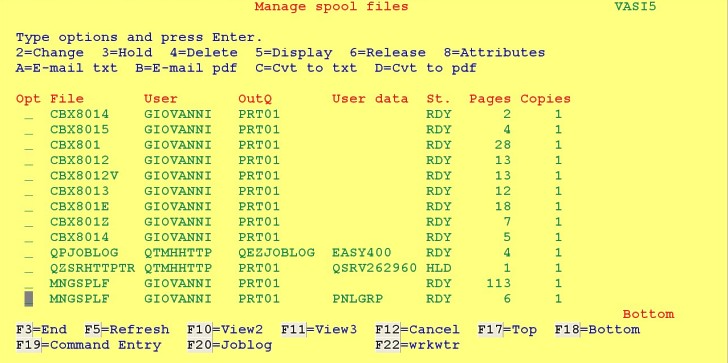 |
| Figure 1 - Command MNGSPLF |
The following special options are supported:
- A - Convert a spooled file to TEXT and e-mail it to an e-mail address associated to the job user profile (see Note 1 and Note 2 below).
- B - Convert a spooled file to PDF and e-mail it to an e-mail address associated to the job user profile (see Note 2 below).
- C - Convert a spooled file to a .TXT stream file in the job user profile IFS home directory (see Note 1 below).
- D - Convert a spooled file to a .PDF in the job user profile IFS home directory.
Note 1 - Only *SCS spooled files can be converted to .TXT stream files).
Note 2 - Options A and B retrieve
- the default sender's name from the System Directory (command WRKDIRE) for the current user profile
- the default sender's e-mail address from the System Directory (command WRKDIRE + F19) for the current user profile
- the default addressee name from the System Directory (command WRKDIRE) for the current user profile (the same as the default sender's name)
- the default addressee e-mail address from file MMAILDATA/USREMAIL (maintained with command mmail/wrkusreml) for the current user profile.
|
|
|
19. Spooled Files Actions
System i release 6.1 added the option of customizing various spooled file panels with your own list actions.
This new facility (see this IBMi Infocenter page)
allows you to perform commands and actions in an exit program against one or more spooled files
shown in the list panels displayed when running any of the following system commands:
- Work with Printer Output (WRKSPLF ASTLVL(*BASIC))
- Work with Spooled Files (WRKSPLF ASTLVL(*INTERMED))
- Work with Job Spooled Files (WRKJOB OPTION(*SPLF))
- Work with Output Queue (WRKOUTQ Output queue name)
- Work with Spooled File Status (WRKSPLF DSPFMT(*S36FMT))
Carsten Flensburg in SystemINetwork article Customizing Spooled File Panels with Spooled File Actions
explains how this can be done and provides some sample code.
We went through that code and decided to implement the same options already available for command mmail/mngsplf:
- A - Convert a spooled file to TEXT and e-mail it to an e-mail address associated to the job user profile (see Note 1 and Note 2 below).
- B - Convert a spooled file to PDF and e-mail it to an e-mail address associated to the job user profile (see Note 2 below).
- C - Convert a spooled file to a .TXT stream file in the job user profile IFS home directory (see Note 1 below).
- D - Convert a spooled file to a .PDF in the job user profile IFS home directory.
Note 1 - Only *SCS spooled files can be converted to .TXT stream files.
Note 2 - Options A and B retrieve
- the default sender's name from the System Directory (command WRKDIRE) for the current user profile
- the default sender's e-mail address from the System Directory (command WRKDIRE + F19) for the current user profile
- the default addressee name from the System Directory (command WRKDIRE) for the current user profile (the same as the default sender's name)
- the default addressee e-mail address from file MMAILDATA/USREMAIL (maintained with command mmail/wrkusreml) for the current user profile.
Please note that options A, B, C and D will never show on the above system command screens.
Installation
- The programs not requiring V6R1 are created during MMAIL installation
- The programs requiring V6R1 are created during MMAIL installation if the OS realease is at least V6R1.
If the system is not yet at release V6R1, is up to you - as soon as the system is upgraded to V6R1 or to a subsequent release -
to create these release dependent programs by running command mmail/CrtSplfAct.
Enablement
- You must make sure that Spooled File Actions A, B, C and D are not yet installed.
Use command mmail/wrkSplfAct to check that out (this command also allows to remove installed options, should you need it).
- Use command mmail/enbSplfAct to install the MMAIL Spooled File Actions A, B, C and D.
|
|
20. Convert a stream file
Sometimes there is a need to convert a stream file to another CCSID.
Command MMAIL/STMFCVT is a convenient tool for this,
provided that the stream file size does not exceed 16 megabytes.
                          Convert a stream file (STMFCVT)

 Type choices, press Enter.

 Source stream file . . . . . . . SRCSTMF

 Target stream file . . . . . . . TGTSTMF

 Target CCSID . . . . . . . . . . TGTCCSID  819      Number, *JOB,
                                                    *ASCII...
Display target stream file . . . DSPTGT *NO *YES, *NO |
- In parameter SRCSTMF specify the qualified name of the
original (source) stream file to be converted.
Note: The CCSID of this stream file does not have to be specified.
- In parameter TGTSTMF specify the qualified name of the converted (target) stream file.
Note: If the TGTSTMF and the SRCSTMF stream files are the same
stream file, or if TGTSTMF(*SRCSTMF), the original (source) stream
file is replaced by the converted one.
Note: If the TGTSTMF stream file exists already, it is replaced by
the converted one.
- In parameter TGTCCSID specify the CCSID to be assigned to the converted
stream file. The CCSID could be a number between 1 and (65535-1) or one
of the following special values:
- *JOB means the job CCSID (or the job default CCSID if the job CCSID is 65535)
- *ASCII (CCSID 819)
- *UTF8 (CCSID 1208, UTF-8 Unicode)
- *UTF16 (CCSID 1200, UTF-16 Unicode)
- *UCS2 (CCSID 13488, UCS-2 Unicode)
- In parameter DSPTGT specify whether you would like the converted stream file be displayed.
|
|
21. WEB utilities
MMAIL includes a number of WEB utilities aimed to make life easier for the WEB users:
- WRKDSTL - Work with distribution lists
- WRKSPLF - Work with spooled files (including the ability to e-mail spooled files, optionally converting them to PDF)
- WRKWTR - Work with printer writers
To run these utilities you must add some directives (see further on) to the config file of an HTTP instance of yours.
20a. WRKDSTL
This utility is invoked through the URL
http://.../mmailp/wrkdstl.pgm
This is a WEB version of commands MMAIL/WRKADDR and MMAIL/WRKGRP provided in menu MMAIL/MIMEMENU.
This WEB version is by far more easy and confortable than what provided by the green-screen MIMEMENU commands.
At the start you receive the screen in Figure A1:
 |
| Figure A1 - Starting http://.../mmailp/wrkdstl.pgm |
|
You may start defining first some e-mail addresses, or start defining first some distribution lists.
Let us assume that you decide to start with distribution lists.
Press button "work with distribution lists" to receive the screen in Figure A2:
|
 |
| Figure A2 - Start defining distribution lists |
|
( is used in all screen of the utility to go back to the previous menu). is used in all screen of the utility to go back to the previous menu).
Press button "new distribution list". You receive the screen in Figure A3:
|
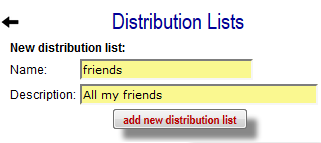 |
| Figure A3 - Defining a distribution list |
|
Enter the name and the description of this distribution list, then press button "add new distribution list".
You receive the screen in Figure A4 (icons are explained later on):
|
 |
| Figure A4 - Available distribution lists |
|
If you like, add more distribution lists or define them later when you need them. Assume that you defined a few:
|
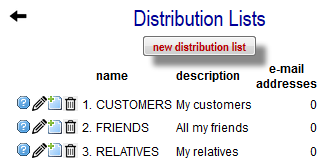 |
| Figure A5 - Distribution lists currently available |
Now you need to define some e-mail addresses that will be used to populate your distribution lists.
Use the left arrow to go back to the initial menu (Figure A1), then press the button "work with address book". You receive the following screen: |
 |
| Figure A6 - Start defining e-mail addresses |
|
| Press button "new distribution list". You receive the screen in Figure A7: |
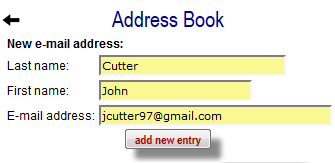 |
| Figure A7 - Defining an e-mail address |
|
Enter the last name, the firstname and the e-mail address, then press button "add new entry".
You receive the screen in Figure A8 (icons are explained later on): |
 |
| Figure A8 - Available e-mail addresses |
|
| If you like, add more e-mail addresses or define them later when you need them. Assume that you defined a few: |
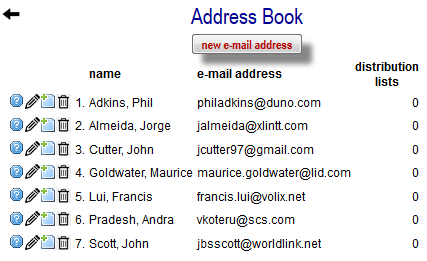 |
| Figure A9 - E-mail addresses currently available |
|
After defining some e-mail addresses and some distribution lists, you may populate distribution lists with selected e-mail addresses.
You can do that in two ways:
- Populate a given distribution list with selected e-mail addresses.
From the screen in Figure A5, press the icon  of the distribution list that you want to populate.
You are displayed a list of the e-mail addresses not yet included in that distribution list.
Select the ones you want to include in the distribution list and press button "add selected e-mail addresses". of the distribution list that you want to populate.
You are displayed a list of the e-mail addresses not yet included in that distribution list.
Select the ones you want to include in the distribution list and press button "add selected e-mail addresses".
See Figure A10. |
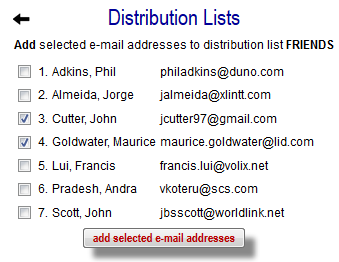 |
| Figure 10 - Populating a distribution list |
|
- Add a given e-mail address to selected distribution lists.
From the screen in Figure A9, press the icon of a given e-mail address.
You are displayed a list of the distribution list not yet including that e-mal address.
Select the distribution lists that will be added this e-mail address and press button "add selected distribution lists".
See Figure A11. |
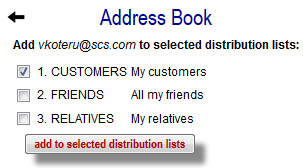 |
| Figure 11 - Inserting an e-mail into distribution lists |
|
Maintaining distribution lists.
Several functions are available to maintain the address book and the distribution lists.
All functions are invkoked by pressing given icons.
The following table provides information on such icons.
| Icon |
Meaning |
|---|
| Address book |
Distribution lists |
|---|
 |
Show the distribution lists containing a given e-mail address.
See Figure 12. |
Show the e-mail addresses contained in a given distribution list.
See Figure 13. |
 |
Update a given e-mail address record. |
Update name and description of a given distribution list. |
|
Include a given e-mail address into selected distribution lists. |
Add to a distribution list selected e-mail addresses. |
 |
Delete an e-mail address and remove it from all distribution lists. |
Delete a distribution list an remove all its references to e-mail addresses. |
 |
Remove a given IP address from a distribution list.
See Figure 12. |
Remove an IP address from a given distribution list.
See Figure 13. |
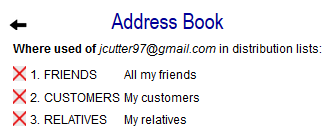 |
| Figure 12 - Distribution lists containing a given e-mail address |
|
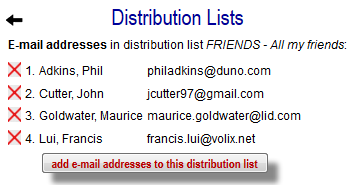 |
| Figure 13 - E-mail addresses contained in a given distribution list |
|
20b. WRKSPLF
This utility is invoked through the URL
http://.../mmailp/wrksplf.pgm
It is very similar to the 5250 MNGSPLF utility, though more flexible.
An initial screen (see Figure B1) allows to specify selection criteria for the spooled files:
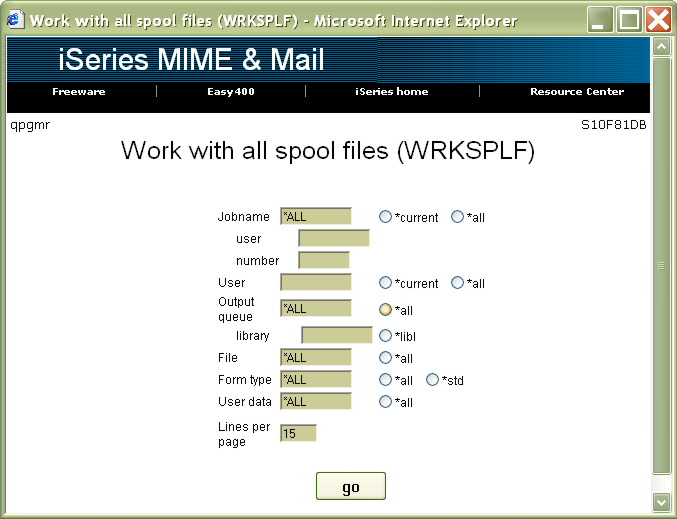 |
| Figure B1 - Starting WRKSPLF |
Multiple selection criteria are handled in an "AND" condition.
Please note the ability to specify even the number of lines per page.
When *ALL output queues selected, the WEB page looks like that in Figure B2:
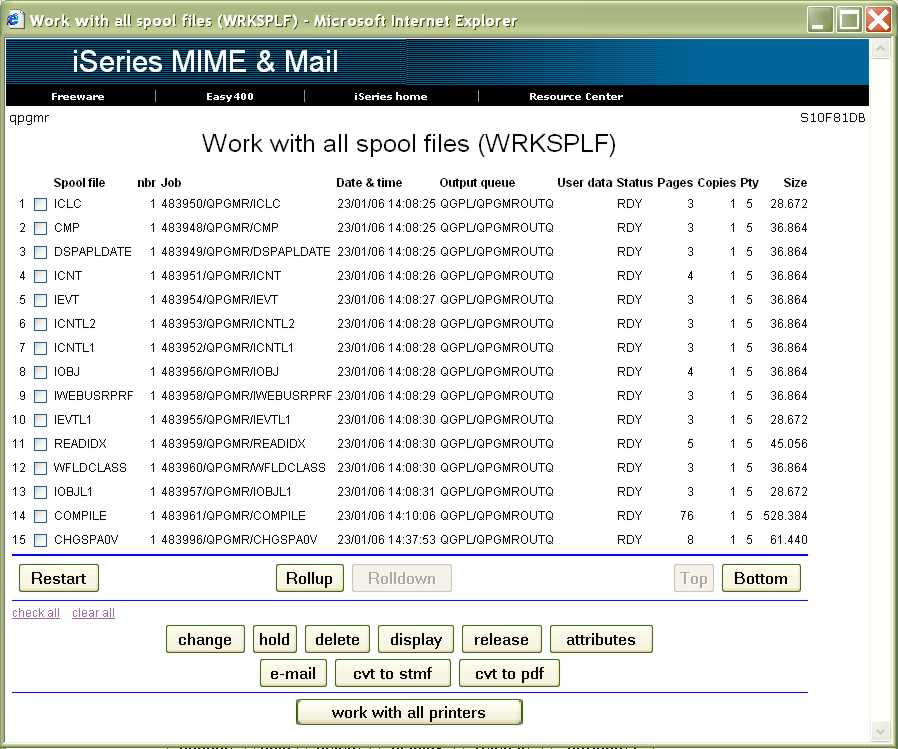 |
| Figure B2 - Working with all spooled files |
On the other side, when in Figure B1 a given output queue is specified, the WEB page also carries controls for that output queue:
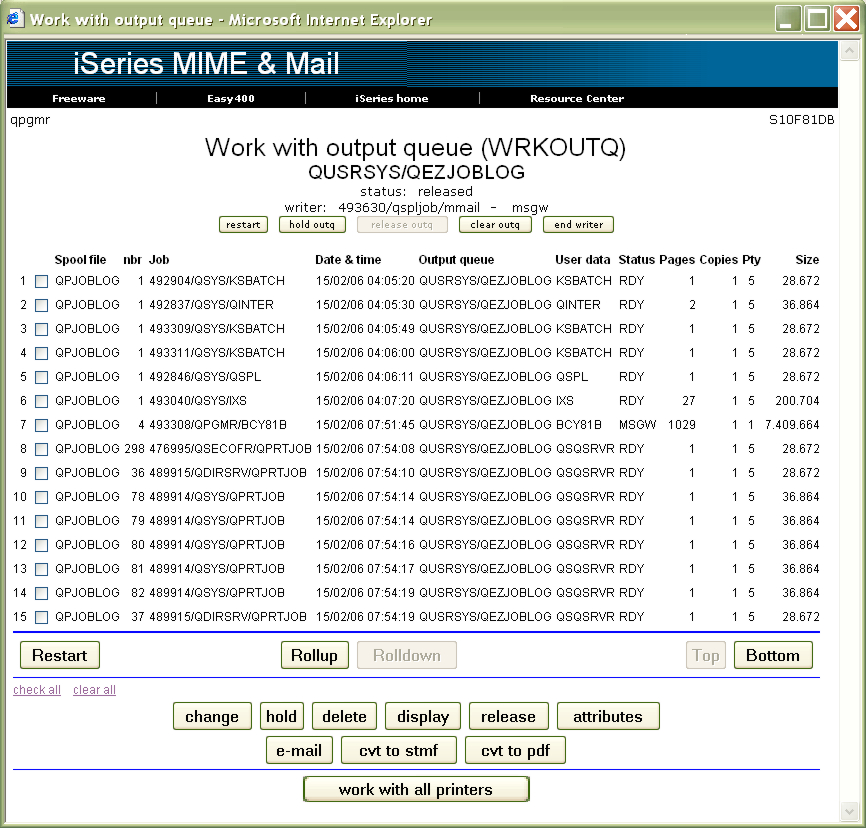 |
| Figure B3 - Working with an output queue |
About the spooled file controls (buttons).
- The Hold, Release, and Delete buttons can process multiple spooled files (for instance, you may delete five spooled files in a single shot).
- The other buttons (Change (change spooled file attributes), Display (display a spooled file),
Attributes (display spooled file attributes), E-mail (e-mail a spooled file), Cvt to Stmf (convert a spooled file to a stream file),
and Cvt to Pdf (convert a spooled file to a PDF stream file)) process a single spooled file at a time and provide separate prompts in a new window for each function.
About spool writers.
Button Work with all printers switches to the WRKWTR WEB utility (see next).
20c. WRKWTR
This utility is invoked through the URL
http://.../mmailp/wrkwtr.pgm
or it may get control from the WRKSPLF utility.
This utility is the WEB version of the WRKWTR 5250 command.
It provides the status of all writers in a single page (see Figure C1).
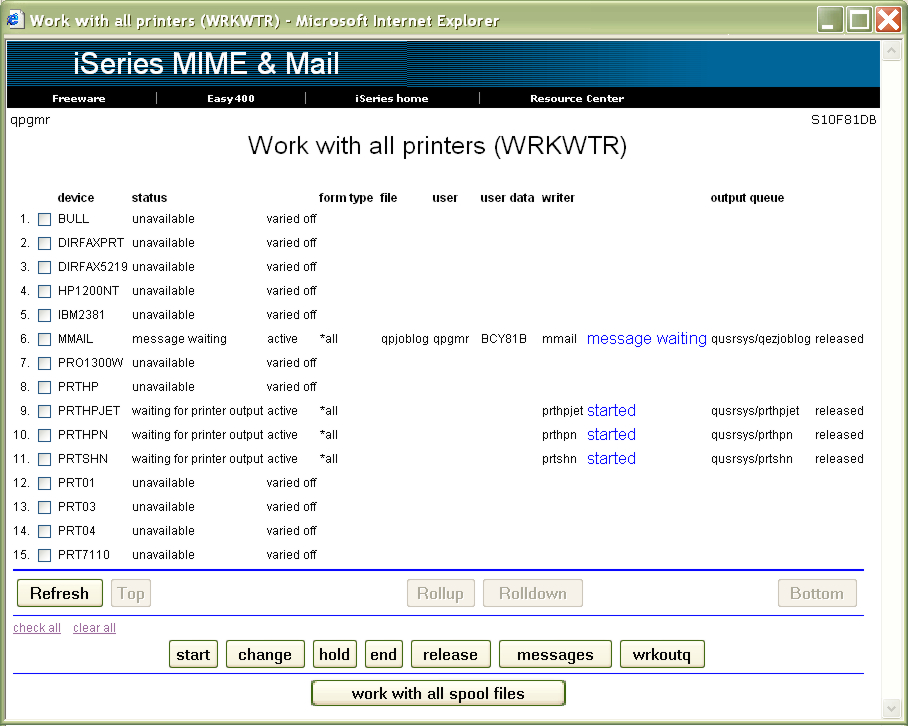 |
| Figure C1 - Working with writers |
About the writers controls (buttons).
20d. HTTP directives
When you install MMAIL, the installation procedure would suggest the installation of some HTTP directives for MMAIL.
Such directives allow to display the WEB manual (THIS manual) and to run the WEB utilities.
However, ih this is not your first MMAIL installation, and you already installed the MMAIL HTTP directives, you may not want to do that again.
In such a case, you may want to check your MMAIL existing HTTP directives in your system, and the ones documented here, and add the missing ones.
By doing do, you will enable the MMAIL WEB utilities for appropriate execution.
| MMAIL HTTP Directives |
#----        MMAIL directives
AliasMatch /mmailh/(.*)  /mmail/html/$1
AliasMatch ^/mmstart$ /mmail/html/intro.htm
Alias /mmail/    /mmail/
ScriptAliasMatch /mmailp/(.*).pgm /qsys.lib/mmail.lib/$1.pgm
ScriptAliasMatch /mmailp/(.*).cgi /qsys.lib/mmail.lib/$1.pgm
<Directory /mmail>
   AllowOverride None
   Options None
   order allow,deny
   allow from all
</Directory>
<Directory /QSYS.LIB/MMAIL.LIB>
   Options +ExecCGI
   CgiConvMode %%EBCDIC/EBCDIC%%
   AllowOverride None
   Options None
   order allow,deny
   allow from all
</Directory>
<LocationMatch /mmailp/(.*)>
   AuthType Basic
   AuthName "MIME & MAIL"
   PasswdFile %%SYSTEM%%
   UserID %%CLIENT%%
   Require valid-user
</LocationMatch> |
| |
|
To change / add directives
- enter command STRPDM option 3 over file QUSRSYS/QATMHINSTC
- display the member with the same name as the HTTP instance you want to update
- there is a single record there; make up the name of the IFS stream file containing the
configuration directives
- use command EDTF on that stream file to perform HTTP directives maintenance
- restart that HTTP instance
|
|
|
|
22. Logging program messages
When some MMAIL process does not provide the expected result, or is abnormally terminated, you may decide to investigate the joblog.
In doing this you may face some major difficulties:
- The granularity of the message logging is not high enough
- The joblog is too big
- The joblog cannot be found.
You may lower these difficulties by using command SETMSGLVL (Set level of MMAIL messages). This command allows to
- select the granularity of the joblog messages
- collect MMAIL "trace" messages on a physical file.
                Set level of MMAIL messages (SETMSGLVL)

 Type choices, press Enter.

 Joblog message level . . . . . . LVL     > 1           0, 1, 2
 Log msg.s to file MMAILDEBUG . . LOG     > *YES        *YES, *NO
 Debug message level  . . . . . . DBGLVL  > 1           1, 2
 Max no. of days to be logged . . MAXDAYS   7           1-7
 Max no. of MMAILDEBUG rec.s  . . MAXRECS   30000       1000-9999999
|
Use this command to set the level of joblog MMAIL messages and optionally log these messages on file MMAILDATA/MMAILDEBUG.
- Joblog message level (LVL) - Select one of the following:
- 1 do not log to the joblog MMAIL basic messages nor MMAIL process tracing message
- 1 to log to the joblog only MMAIL basic messages
- 2 to log to the joblog also MMAIL process tracing messages.
- Log messages to file MMAILDEBUG (LOG) - Whether messages (of whatever level) should also be logged on database MMAILDATA/MMAILDEBUG.
Displaying file MMAILDATA/MMAILDEBUG makes it easier to understand the processes performed by MMAIL in sending e-mail messages.
Select one of the following:
- *YES - Log messages to file MMAILDATA/MMAILDEBUG
- *NO - Do not to log messages to file MMAILDATA/MMAILDEBUG.
- Debug message level (DBGLVL) - Select one of the following:
- 1 to log to file MMAILDATA/MMAILDEBUG only MMAIL basic messages
- 2 to log to file MMAILDATA/MMAILDEBUG also MMAIL process tracing messages.
- Maximum number of days to be logged (LOGDAYS) - Maximum number of days logged messages are retained on file MMAILDATA/MMAILDEBUG.
Expired log messages are automatically removed.
- Maximum number of MMAILDEBUG records (MAXRECS) - Maximum number of records that file MMAILDATA/MMAILDEBUG can hold.
When the maximum number of records is reached, oldest records are automatically removed.
• To have enhanced joblogs containing also MMAIL process tracing messages, run command SETMSGLVL LVL(2).
Note that joblogs may become rather larger than they used to be.
• To collect MMAIL process information across all jobs (in file MMAILDATA/MMAILDEBUG),
run command SETMSGLVL LVL(2) LOG(*YES).
Parameters MAXDAYS and MAXRECS are used to prevent file MMAILDEBUG from becoming too large.
The record format of file MMAILDEBUG is made of the following fields:
- timestamp
- qualified job name
- message type:
- *INFO - just information
- *COMP - completion of a procedure or a command
- *DIAG - exception found during process
- *ESCAPE - unrecoverable error causing process interruption
- Message text.
To display this file, run command DSPF MMAILDATA/MMAILDEBUG.
|
|
23. Information about the last sent e-mail message
A local user program may retrieve information about the last e-mail message sent from its same job.
This is done through a number of environment variables.
See this page.
|
|
| |
|
|
|
|
|
|